SiriusXM BPM: 7 Ways To Find Channel 52, Songs &
Playlists
SiriusXM BPM has been a staple for electronic dance music fans who want a nonstop stream of beats without algorithm fatigue. Channel 52 delivers curated EDM around the clock, from festival anthems to underground club tracks, and it remains one of the most reliable ways to discover what's hot right now.
But finding the channel, tracking down that song you just heard, or building a playlist from BPM's rotation isn't always straightforward. Whether you're a new subscriber trying to locate Channel 52 on your car stereo or a longtime listener hunting for today's recently played tracks, the answers tend to be scattered across different apps and menus.
That's exactly the kind of thing we cover here at RIKIO ROCKS. As your daily source for EDM news and resources, we put together this guide with seven practical ways to find SiriusXM BPM's channel, pull up its song history, and access its playlists, all in one place.
1. SiriusXM app search for BPM channel 52
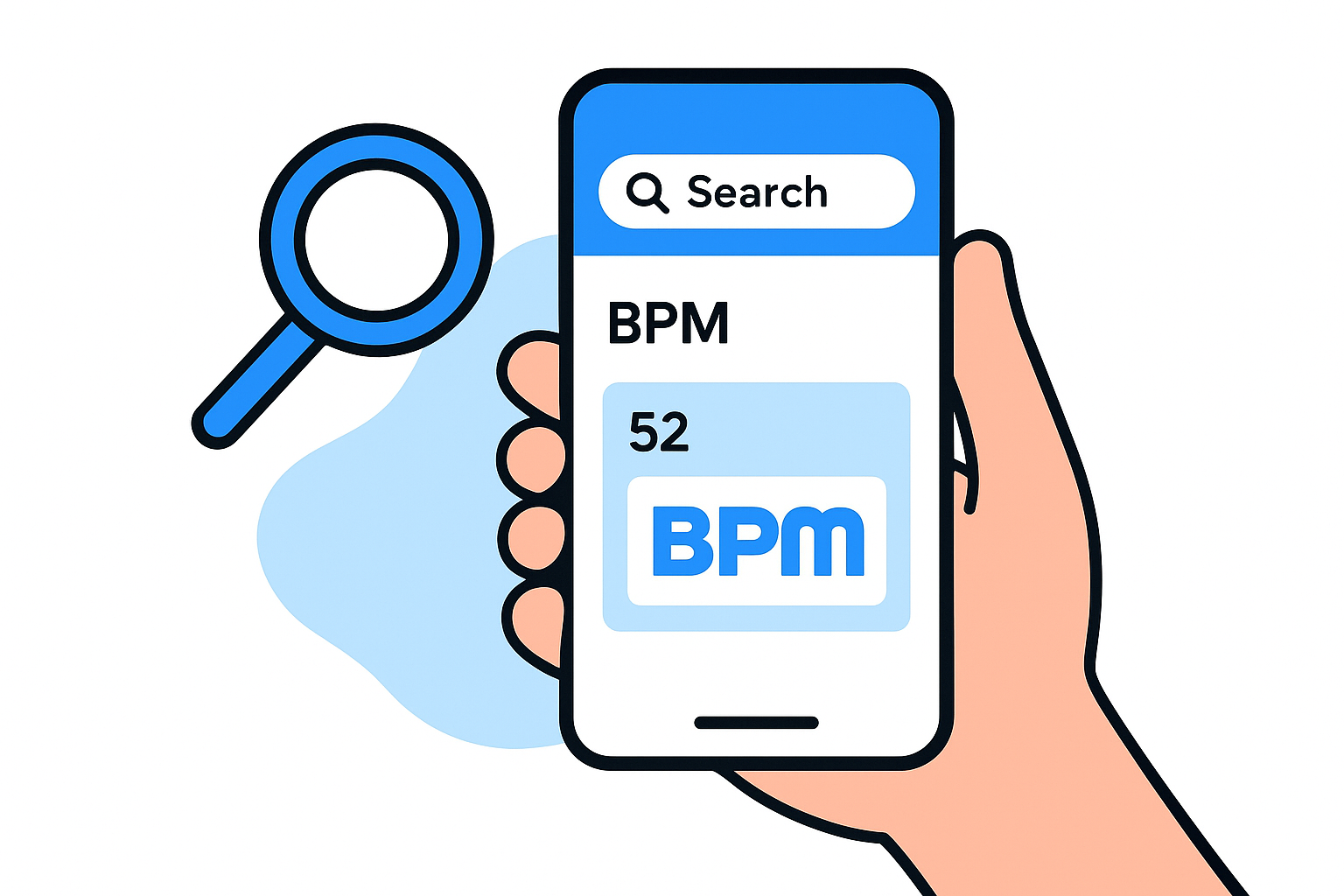
The SiriusXM app is the fastest way to reach BPM regardless of where you are. You can pull it up on your phone, tablet, or computer browser, and it works whether you're at home, at the gym, or anywhere outside your car's satellite range.
What you'll find
Inside the app, you get live streaming of Channel 52 alongside the current song title, artist name, and album art displayed on screen. You also get access to On Demand content, which includes past shows, guest mixes, and curated BPM playlists that don't air on the live feed. This is the single most complete view of what SiriusXM BPM offers across its entire library.
If you want to know what's playing right now on BPM, the app's Now Playing screen is the most reliable real-time source available.
How to use it
Open the SiriusXM app and tap the search icon, then type "BPM" or simply enter "52" to jump directly to the channel. Once you land on Channel 52, the Now Playing bar at the bottom shows the current track in real time. You can tap that bar to expand it and see the full song details, add the track to a personal list, or share it with someone else.
To browse recent tracks, scroll down on the channel page to find the recently played queue, which typically shows the last several songs aired. This feature saves you the trouble of hunting down separate tools just to identify what you heard a few minutes ago.
Access and cost
You need an active SiriusXM subscription that includes streaming to use the app. The All Access plan covers both in-car satellite and app streaming, while the Streaming Only plan gives you app access at a lower monthly cost. SiriusXM frequently runs promotional pricing for new subscribers, so check their official site before committing to a standard-rate plan.
Tips for faster listening and song ID
Set BPM as a favorite channel inside the app so it appears at the top of your channel list every time you open it. You do this by tapping the heart or star icon directly on the channel page. If a track plays and you want to capture it quickly, tap the Now Playing screen and use the "Add to My Playlist" option before the song ends, because the recently played queue only holds a limited window of history before older entries drop off.
2. SiriusXM channel lineup on your car radio
Your car's built-in SiriusXM receiver is often the most convenient place to tune into SiriusXM BPM, especially on a commute or a long drive. Unlike the app, your car radio pulls the signal directly from the satellite, so you get uninterrupted playback without depending on a cellular connection.
What you'll find
Channel 52 delivers the same live, curated EDM programming through your car receiver that streams on the app. Your dashboard display shows the current song title and artist in real time, making it easy to catch track details while you drive. Most modern head units also scroll through recent song info if you missed the display a moment earlier.
How to use it
Press the channel number button or use the tuner dial and enter "52" directly. If your system supports a favorites or preset function, save Channel 52 there for single-button access on every drive. Some newer touchscreen head units let you search by name, so typing "BPM" works just as quickly.
Saving BPM as a preset takes about ten seconds and removes the need to navigate through menus every time you get in the car.
Access and cost
Your car radio requires an active SiriusXM satellite subscription to receive Channel 52. Most new vehicles ship with a complimentary trial, typically three to six months, before a paid plan kicks in. Check the SiriusXM site for current subscription rates once your trial ends.
Tips if channel 52 does not show up
A missing channel usually points to one of two issues: your subscription tier does not include BPM, or your receiver needs a refresh. Call SiriusXM support and ask them to send a refresh signal to your radio, which fixes most access problems within a few minutes.
3. SiriusXM BPM channel page for shows and schedule
The official SiriusXM BPM channel page on the SiriusXM website gives you a structured view of the programming that the app's Now Playing screen doesn't always surface. If you want to plan your listening around a specific show or guest takeover, this is the place to start.
What you'll find
The channel page lists upcoming shows, featured programming, and guest DJ sets scheduled for BPM. You'll see named programs with their air dates and times, which helps you know when to tune in for something beyond the standard rotation. The page also surfaces editorial content tied to featured artists and recent highlights from the channel.
Checking the channel page before a weekend is the most reliable way to catch a guest takeover before it airs.
How to use it
Navigate to the SiriusXM website, go to the channel guide, and search for BPM or scroll to Channel 52. The channel's dedicated page loads the full schedule and show listings for the current week. You can browse by day to see exactly what's coming up and set a reminder on your phone so you don't miss a set.
Access and cost
Browsing the channel schedule page on the SiriusXM website is free without a login. You only need an active subscription when you actually stream or listen to the content through the app or your satellite receiver.
Tips for catching weekly shows and takeovers
Check the siriusxm bpm channel page on Monday mornings, since the weekly schedule typically refreshes at the start of the week. If you spot a guest DJ set or special event, note the exact air time because most takeovers don't repeat on demand the same week they broadcast live.
4. XMPlaylist for recently played BPM songs
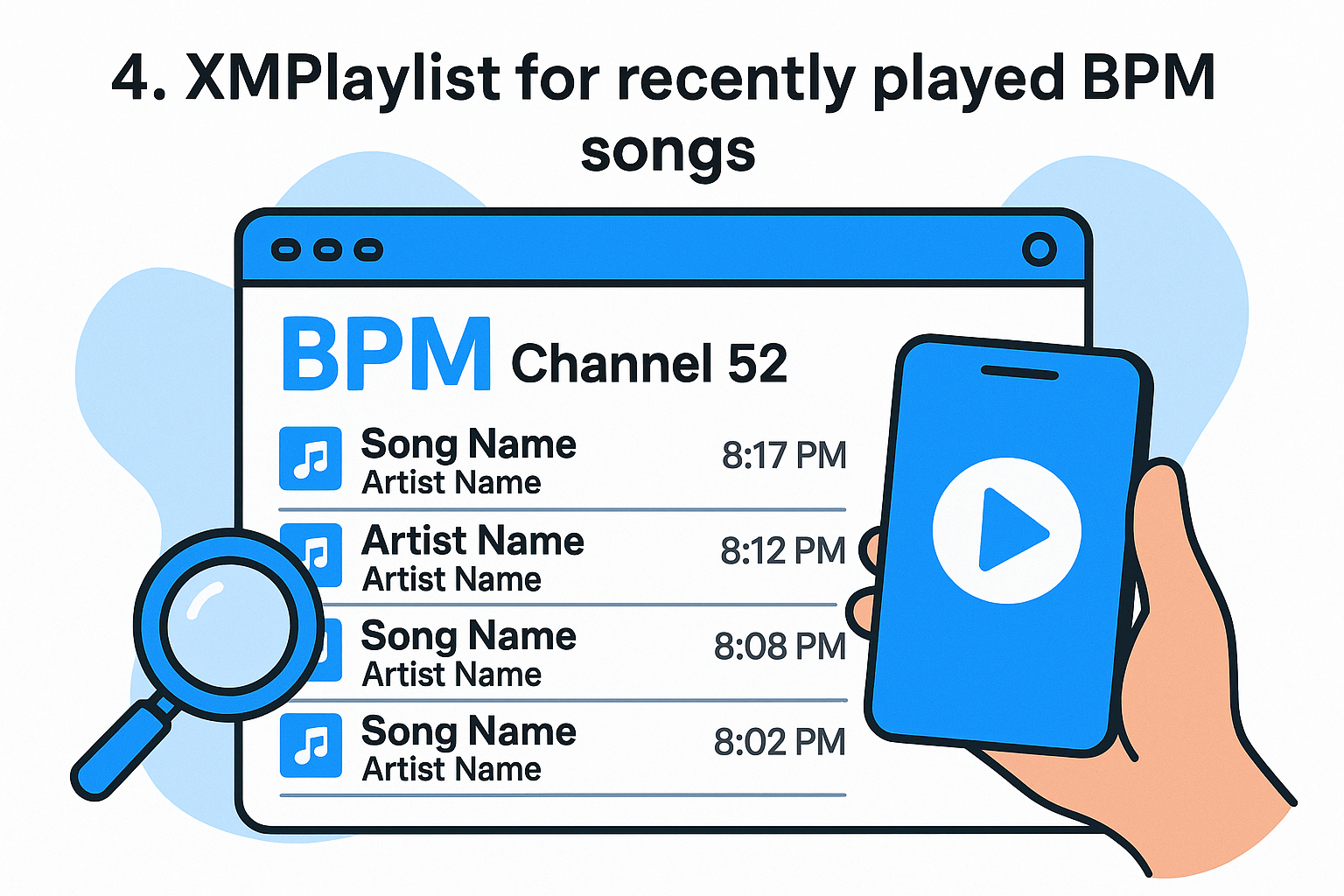
XMPlaylist is a third-party fan site that logs the recently played song history for SiriusXM channels, including Channel 52 BPM. It fills a gap the official app leaves open when you need to look back further than the last few tracks in the live queue.
What you'll find
The site shows a timestamped song log for BPM that covers several hours of recent airplay. Each entry includes the track title, artist name, and the exact time it aired, so you can pinpoint a song you caught only a snippet of during your commute or workout.
This log is especially useful when the SiriusXM app's recently played queue has already cycled past the track you're trying to identify.
How to use it
Go to the XMPlaylist website and search for BPM or Channel 52 in the channel list. The results page loads a scrollable feed of recent plays sorted by time. From there, you can compare the timestamp against when you heard the track and find a match quickly without any account login or registration.
Access and cost
XMPlaylist is completely free to use and requires no account or subscription of any kind. All you need is a browser and the approximate time you heard the song on siriusxm bpm to pull up the matching entry from the log.
Tips for matching a song you just heard
Note the time you heard the track as soon as possible, even a rough estimate. Cross-reference that window against the XMPlaylist log and scan entries within a few minutes on either side. If you remember a lyric or melody fragment, pair it with the artist name from the log and search that combination in a streaming service to confirm the match before saving it.
5. BPM Builder to vote and follow the top tracks
The BPM Builder feature gives you a direct say in what siriusxm bpm plays on Channel 52. Rather than passively listening to whatever the editors select, you can vote tracks up or down, and those results actively shape the channel's weekly rotation based on real listener input.
What you'll find
BPM Builder presents a curated list of tracks currently competing for airtime on Channel 52. Each song displays its current vote count and ranking position, so you can see at a glance which tracks are climbing and which are stalling based on aggregate community votes across the subscriber base.
How to use it
Log into your SiriusXM account through the app or website and navigate to the BPM Builder section. From there, browse the active track list and cast your votes for the songs you want to hear more often. The process takes less than two minutes and requires no extra setup beyond your standard account credentials.
Your votes accumulate across the full voting window, so participating early in the cycle carries more total weight than waiting until the final day.
Access and cost
BPM Builder is included with an active SiriusXM subscription that covers the BPM channel. No separate purchase or add-on is required, and your existing account login unlocks the voting feature directly inside the standard app interface at no additional cost.
Tips for influencing what BPM plays
Check BPM Builder at the start of each voting cycle, typically Monday, when rankings reset and every vote counts toward a fresh slate. Concentrate your support on two or three specific tracks rather than spreading votes thinly across the full list, since focused voting moves individual rankings more noticeably than scattered input across dozens of songs.
6. Spotify and Apple Music playlists for BPM-style hits
When you want to listen offline or build a personal library that mirrors what siriusxm bpm plays, Spotify and Apple Music are the two most practical platforms to turn to. Both services host editorial and user-created playlists that closely track the EDM sounds Channel 52 spins, giving you a portable alternative when you're not near a satellite or streaming subscription.
What you'll find
Both platforms carry official editorial playlists from their own curation teams that cover the same genres BPM rotates, including progressive house, big room, future bass, and melodic techno. Spotify features playlists like "Dance Rising" and "mint," while Apple Music maintains curated EDM collections updated weekly with fresh tracks and rising artists from across the electronic music spectrum.
How to use it
Open Spotify or Apple Music on your phone or desktop, then search terms like "EDM hits," "electronic dance," or specific subgenres such as "progressive house." Once you land on a playlist that fits your taste, save or follow it so new tracks automatically appear at the top each time the editors refresh the list.
Following an editorial playlist means you always have an updated feed without manually searching for new music each week.
Access and cost
Spotify offers a free tier with ads that lets you access playlists, while its Premium plan removes ads and enables offline downloads. Apple Music requires a paid subscription with no free listening tier, though a one-month trial is available directly through apple.com.
Tips for keeping your playlists current
Check followed playlists every Monday, when most editorial teams push their weekly updates. Sort by "Recently Added" to spot new additions immediately without scrolling through the entire list from the top.
7. BPM social and blog updates for big moments
The official SiriusXM BPM social accounts and blog surface announcements that don't always make it into the app or channel schedule page before they happen. When a major guest mix, charity broadcast, or festival livestream lands on Channel 52, social posts and blog entries are usually the first place that news goes public.
What you'll find
BPM's Instagram, X, and Facebook accounts publish track spotlights, upcoming show announcements, and short clips from special broadcasts. The SiriusXM blog also runs longer feature posts when a high-profile DJ or producer takes over the channel, often including a tracklist or interview segment you won't find anywhere else on the platform.
Checking BPM's social accounts the week before a major festival is the fastest way to find out if a live set or exclusive mix is scheduled on siriusxm bpm.
How to use it
Follow or like the official BPM channel accounts on whichever social platform you use most consistently. For blog content, visit the SiriusXM website directly and search for BPM under their editorial section. Bookmark the blog search results page so you can return to it without navigating through the full site menu each time.
Access and cost
Following BPM's social accounts is free and requires only a standard account on the platform you choose. Reading the SiriusXM blog is also free and requires no subscription or login to access published posts.
Tips for finding guest mixes and special events
Turn on post notifications for BPM's primary social account so you receive an alert the moment a guest mix or special event is announced. When a takeover post goes up, check the comments section immediately, since other listeners frequently share the full tracklist there within hours of the broadcast.
Quick recap
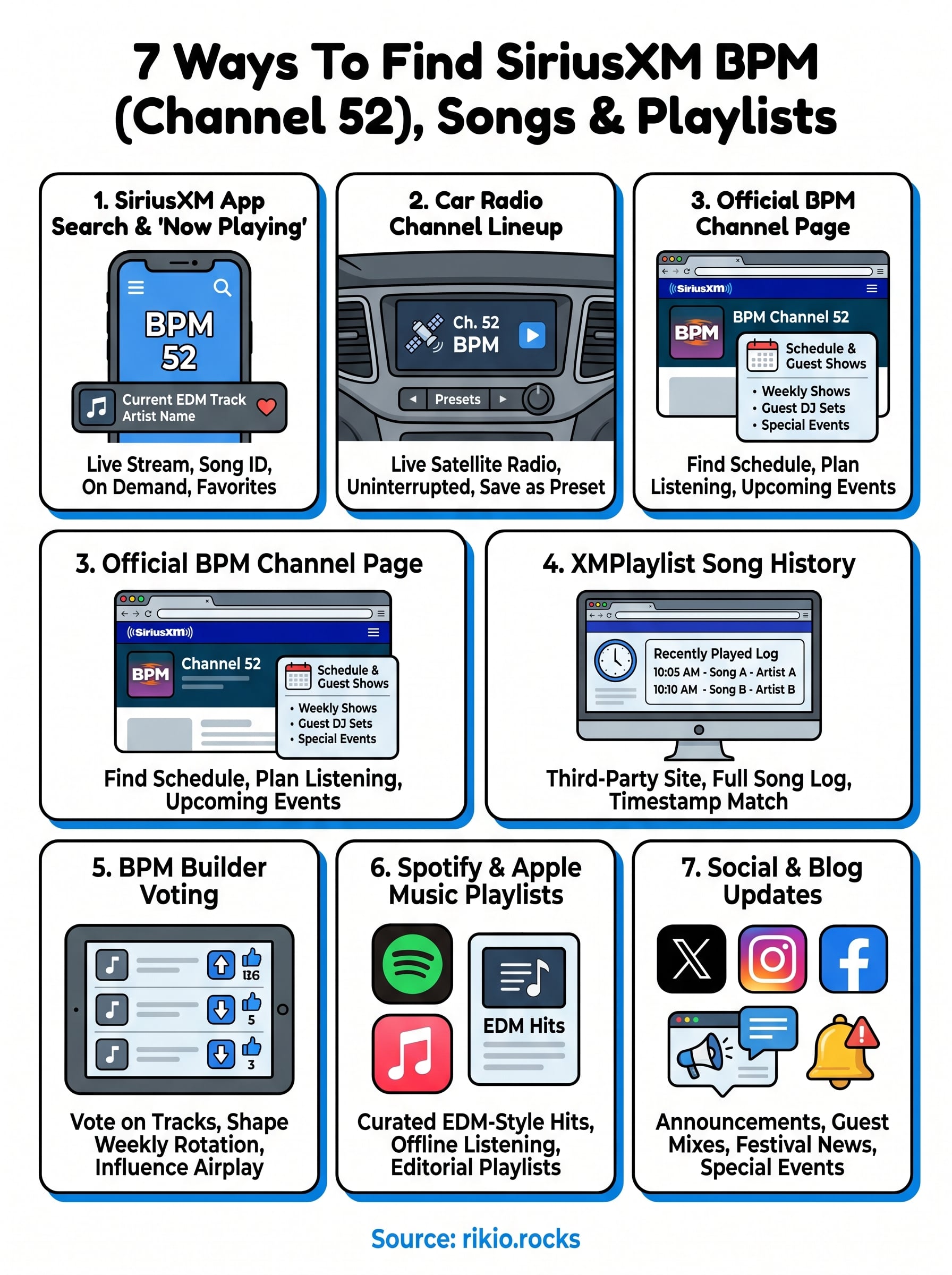
You now have seven practical routes into everything siriusxm bpm offers, from locating Channel 52 on your car radio to voting on what tracks air next week. The SiriusXM app gives you real-time song details and on-demand content, XMPlaylist fills in the history gaps, and BPM Builder puts you directly in the driver's seat for shaping the weekly rotation.
For days when you want a similar high-energy EDM experience without a satellite subscription, Spotify and Apple Music carry curated playlists that keep pace with the channel's sound. Following BPM's social accounts rounds out your setup by surfacing guest mixes and special events before they hit the airwaves.
If you're looking for a ready-made workout soundtrack right now, check out our Cardio Hits 2026 playlist on Spotify for a collection built to keep your energy moving from the first track to the last.
191