11 Essential Items on a DJ Equipment List for
Beginners
So you want to start DJing but have no idea what gear you actually need. You're not alone. Every working DJ started exactly where you are right now, staring at a dj equipment list for beginners and trying to figure out what's worth buying and what's a waste of money. The good news? Getting started costs less than you think, and you don't need a studio full of gear to drop your first mix.
At RIKIO ROCKS, we cover the EDM scene daily, from festival lineups and artist news to the tools and tech behind the music. We've watched bedroom producers grow into headliners, and the one thing they all have in common is that they started with the basics and built from there.
This list breaks down the 11 pieces of equipment you need to build a functional beginner DJ setup. We're talking controllers, headphones, speakers, software, and a few items most guides skip over. Each pick is geared toward people just getting started, no $2,000 mixers, no overkill. Just the essentials that'll get you mixing tracks, practicing your transitions, and figuring out your style without draining your bank account. Let's get into it.
1. RIKIO ROCKS for DJ gear and EDM news
RIKIO ROCKS is a daily EDM news platform that covers everything from festival announcements and artist profiles to gear reviews and music production tools. It sits at the top of this list because it is not just a resource, it is a habit you should build early. Before you spend a dollar on any item in this dj equipment list for beginners, you want a reliable place to check what is current, what is worth buying, and what pros are actually using in 2026.
What it is and why it belongs in your setup
RIKIO ROCKS aggregates and syndicates top articles from leading EDM magazines and producers every single day. You get one place to read what gear is trending, which controllers are getting attention, and which software updates are changing how DJs work. New gear releases happen fast in the DJ world, and a platform that tracks the scene daily keeps you from buying something that just became outdated.
How to use it to research gear and avoid bad buys
Before buying any piece of equipment, search RIKIO ROCKS for coverage on that product category. If a new controller or headphone model is getting traction in the EDM community, you will find articles about it. You can cross-reference what producers and working DJs are saying with your own budget and needs. Reading a few current articles before purchasing can save you from real regret.
Gear research does not need to be complicated. Checking recent news on a product category before buying is one of the simplest ways to avoid spending money on the wrong thing.
What to follow first as a brand-new DJ
Start with the Products and Gear coverage and any articles focused on beginner setups or entry-level equipment. Also work through the artist profile and festival sections, because understanding how professional DJs operate gives you a clearer picture of what skills and tools actually matter.
Pricing
RIKIO ROCKS is completely free to access. You do not need a subscription or an account to read articles. Visit rikio.rocks and start browsing today. The RSS feed lets you subscribe so new content reaches your reader automatically without any extra steps.
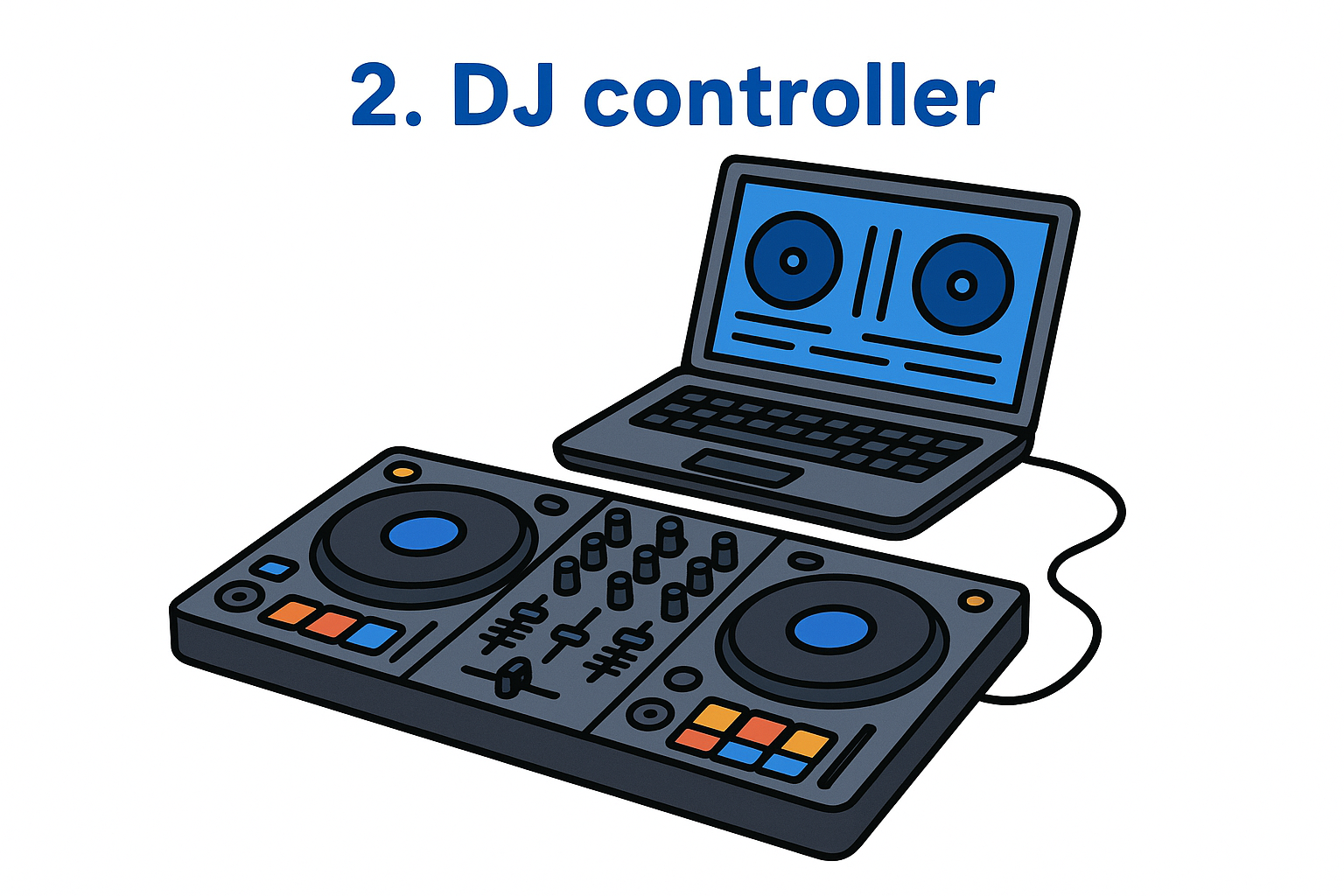
2. DJ controller
A DJ controller is the hands-on hardware that connects to your laptop via USB and lets you control DJ software with physical jog wheels, faders, and buttons instead of clicking around a screen. For most beginners, it is the first physical piece of gear worth buying because it bridges the gap between your music library and the actual craft of mixing.
What it does in a beginner DJ setup
A controller replicates the function of traditional turntables and a mixer in one compact unit. You use it to load tracks, adjust tempo, apply effects, and blend songs together smoothly. Physical feedback from the hardware makes learning transitions far faster than working with a mouse alone.
What to look for in your first controller
Focus on a two-channel controller with a built-in audio interface so you can connect headphones and speakers directly without buying extra hardware. Make sure the controller includes bundled software, since most entry-level options ship with Serato DJ Lite or rekordbox at no additional cost.
A controller that bundles software saves you real money upfront and removes a compatibility headache before you play your first track.
Beginner-friendly controller features that help you learn faster
Look for large jog wheels and clearly labeled controls. Dedicated EQ knobs per channel, a crossfader, and at least eight performance pads give you enough tools to practice core mixing techniques without feeling restricted as your skills grow.
Typical beginner budget in 2026
Entry-level controllers start around $150 to $300 from brands like Pioneer DJ, Numark, and Denon DJ. That range puts solid hardware within reach on any dj equipment list for beginners without requiring a major financial commitment.
- Pioneer DDJ-FLX4: around $249, bundles rekordbox and Serato DJ Lite
- Numark Mixtrack Pro FX: around $199, bundles Serato DJ Lite
- Hercules DJControl Inpulse 300 MK2: around $149, good for absolute first-timers
3. DJ software
DJ software is the program running on your laptop that manages your music library, processes audio, and gives your controller something to control. Without it, your controller is just a piece of plastic. Every item on a dj equipment list for beginners eventually connects back to the software you choose.
What DJ software does and how it fits your workflow
The software handles track analysis, BPM detection, key detection, and real-time audio mixing while you work the hardware. It reads your music files, displays waveforms, and processes the signals your controller sends so you hear seamless output through your headphones and speakers.
Rekordbox vs Serato vs Traktor vs djay basics
Each platform has a different feel and ecosystem. Rekordbox (made by Pioneer DJ) works best if you plan to play on Pioneer gear at clubs. Serato DJ Lite is bundled with many beginner controllers and has a clean learning curve. Traktor by Native Instruments appeals to producers who want deep effect control. djay by Algoriddim runs on Mac, iPad, and iPhone with streaming integration built in, which makes it appealing if you want to start without downloading a full music library.
Your controller often decides this choice for you since most budget hardware bundles one platform for free, so check the box before buying.
Features beginners should actually use first
Start with sync and auto-BPM matching so you can focus on track selection and timing instead of fighting pitch sliders. Once your ear develops, turn sync off and practice manually.
Typical beginner budget in 2026
Most beginner software costs nothing upfront because it ships bundled with your controller. Paid upgrades like Serato DJ Pro run around $9.99 per month if you eventually need advanced features.
4. Laptop or tablet
Your laptop or tablet is the brain of your entire setup and the device that actually runs your DJ software. It processes audio in real time and stores your music library. Without a reliable device under the hood, every other item on a dj equipment list for beginners becomes harder to use.
What your computer device handles while you DJ
Your computer manages audio processing and waveform rendering simultaneously while you mix. It also handles plugin effects and real-time track analysis, so any lag or dropout in that process creates audible glitches your audience will notice.
Minimum specs that matter for stable performance
For smooth performance, aim for a quad-core processor and at least 8GB of RAM. A solid-state drive (SSD) loads tracks faster than a traditional spinning hard drive, which keeps your workflow fluid during a live set.
Skimping on RAM is the most common reason beginner setups freeze mid-mix, so treat 8GB as your floor, not your ceiling.
Ports and connectivity to plan for
Check that your device has at least one USB-A port for your controller. If your laptop only carries USB-C ports, budget for a reliable hub. A dedicated headphone output also helps during practice sessions before you invest in a separate audio interface.
Typical beginner budget in 2026
A used or refurbished laptop in the $300 to $500 range handles DJ software without issues. Windows laptops give you more hardware variety at lower price points, while MacBooks hold their resale value longer if you plan to upgrade later.
5. Music library plan
Your music library is the foundation of every mix you build. Without a solid plan for sourcing, organizing, and managing tracks, you will waste hours digging for songs mid-set instead of actually performing. Every practical dj equipment list for beginners includes a library strategy alongside hardware.
Where beginners get music legally
Several legal download stores let you buy individual tracks and own the files outright. Beatport, Traxsource, and Bandcamp are the most widely used options in the EDM space and cover everything from techno to drum and bass.
-
Beatport: largest EDM catalog with strong genre filters
-
Traxsource: focused on house and techno
-
Bandcamp: great for buying directly from independent artists
Downloaded files vs streaming inside DJ apps
Some DJ software supports streaming from services like Tidal and SoundCloud Go+ without downloading files first. Downloaded files give you more stability and zero dependency on venue internet quality, which is a real concern when you play somewhere with a weak connection.
Build your core library from downloaded files and treat streaming as a backup, not your primary source.
File formats, tagging, and organization basics
WAV and AIFF files deliver the cleanest audio quality for DJ use. MP3 at 320kbps works well if storage is tight, but avoid anything lower since compressed audio sounds noticeably worse on a loud PA system. Tag every track with accurate BPM, key, and genre so your software sorts and searches quickly during a live set.
Typical beginner budget in 2026
Expect to spend $20 to $50 per month building your library through download stores. A Tidal HiFi subscription runs around $11 per month and integrates directly into compatible DJ apps if you want a streaming option alongside your downloads.
6. DJ headphones
DJ headphones are one of the most used items on any dj equipment list for beginners, and they do a very specific job that regular consumer headphones cannot. You use them to pre-listen to the next track in your mix before the audience hears it, a technique called cueing.

What DJ headphones do differently from regular headphones
Standard headphones are built for casual listening. DJ headphones are built for loud, live environments where you need to hear a cued track clearly while a speaker is blasting the current mix behind you. They also need to handle one-ear monitoring, which means you wear one cup on your ear and tilt the other away to compare what is playing out loud.
The ability to cue a track privately while the current song plays out loud is what separates a real DJ headphone from anything else in your bag.
What to look for: isolation, comfort, and durability
Focus on strong passive noise isolation and a rotating ear cup design that allows single-ear monitoring easily. Padding matters more than people admit, since long practice sessions get uncomfortable fast with thin ear cushions. Metal-reinforced headbands hold up far better than all-plastic builds over time.
Cable types and connectors you'll run into
Most DJ headphones ship with a coiled cable and a straight cable. The coiled cable keeps slack off your controller during a set, while the straight cable works better for studio practice. You will typically find a 3.5mm plug with a screw-on 6.35mm adapter included.
Typical beginner budget in 2026
Budget between $50 and $150 for a solid first pair. The Audio-Technica ATH-S700BT and Sennheiser HD 25 Lite sit in that range and both hold up well under regular use.
7. Studio monitors for practice
Studio monitors belong on every practical dj equipment list for beginners because they give you an honest, uncolored picture of your mix. Consumer speakers boost bass and treble to sound exciting, which makes your mixes sound good in your room but wrong everywhere else.
Why monitors help you mix better at home
Studio monitors are engineered for flat frequency response, meaning they do not artificially boost any part of the sound spectrum. When you practice on monitors, you hear exactly what your mix sounds like, including any muddy low end or harsh highs you need to fix before playing out.
Training your ears on flat monitors at home is one of the fastest ways to improve your mixing accuracy before you touch a real venue system.
Choosing the right size for your room
Three-inch to five-inch woofer monitors work well in a bedroom or small studio space. Larger woofers push more bass than a small room can handle accurately, which creates standing waves that mislead your ears. Five-inch monitors hit a good balance between clarity and low-frequency extension for most beginner setups.
Placement basics for clearer sound
Position your monitors at ear level and equal distance apart, forming an equilateral triangle with your listening position. Keep them a few inches away from the wall behind them so bass does not build up and cloud your low-end perception. Angling them toward your ears at a slight inward angle sharpens the stereo image during practice sessions.
Typical beginner budget in 2026
A reliable pair of studio monitors costs between $150 and $300. The Yamaha HS5 and KRK Rokit 5 G4 sit near the top of that range and are widely trusted by working producers and beginner DJs alike.
8. PA speaker setup for parties
Studio monitors handle your practice sessions at home, but the moment you play for an actual crowd, you need PA speakers built to fill a room with volume and clarity. This is one of the most overlooked items on a dj equipment list for beginners, and showing up to a party without the right setup will make your mix sound weak no matter how good your controller is.
The difference between PA speakers and studio monitors
PA speakers are designed to project sound outward at high volume across a large space, while studio monitors are engineered for accurate near-field listening at low levels. Pushing your practice monitors to fill a party room distorts the sound and risks damaging the drivers. PA speakers handle that pressure without breaking down.
Treating your studio monitors as party speakers is one of the fastest ways to blow a driver and replace gear you did not need to replace.
Powered vs passive speakers and what beginners should choose
Powered (active) speakers have a built-in amplifier, which means you plug them directly into your controller or mixer without buying a separate power amp. Passive speakers require an external amp to function. For beginners, powered speakers are the clear choice because they simplify setup, reduce the gear count, and remove an extra compatibility variable from your rig.
How much volume you really need for small events
For house parties and small venue gigs of 50 to 100 people, a pair of 12-inch powered speakers in the 1,000-watt range covers the space comfortably. You do not need a subwoofer right away, though adding one improves low-frequency presence significantly once your budget allows.
Typical beginner budget in 2026
Plan to spend $400 to $800 for a pair of entry-level powered PA speakers. The QSC K12.2 sits at the higher end of that range and is widely trusted for small events, while the Mackie Thump12A offers solid performance closer to $300 per speaker.
9. Essential cables and adapters
Cables are the least exciting item on a dj equipment list for beginners, but a missing or failing cable will end your set faster than any other gear problem you will face. Before your first gig, understanding what you need and why keeps you from scrambling at the venue.
The core cables most beginner setups need
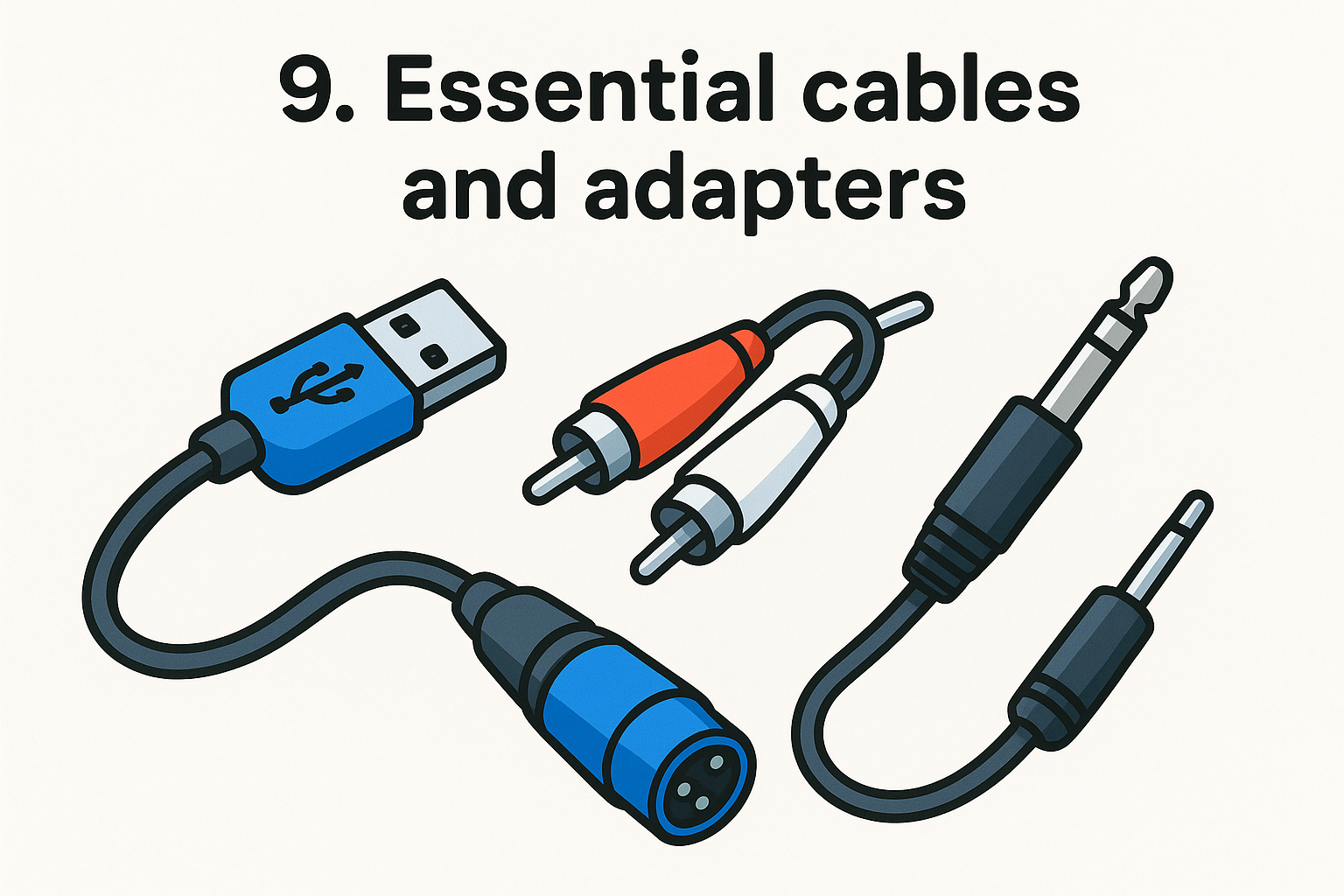
Most beginner rigs run on a short list of standard audio cables that connect your controller to your speakers and headphones. A pair of RCA-to-TRS cables handles the connection between most entry-level controllers and powered PA speakers, while a standard USB cable links your controller to your laptop.
Common connector types you should recognize
The three connectors you will run into most often are RCA, TRS (6.35mm), and XLR. RCA connectors are the red-and-white pair common on budget gear. TRS and XLR connections carry balanced audio signals, which reduce noise interference over longer cable runs and are standard on most powered speakers.
Learning to identify your connector types before the gig means you can solve a cable problem on the spot without asking for help.
Backup cables and failure points to plan for
Always carry at least one spare USB cable and one spare RCA pair in your bag. Connectors at the tip of the cable and the port on your controller absorb the most stress and fail without warning during live use.
Typical beginner budget in 2026
Budget around $30 to $60 to cover a full set of cables plus two or three spares. Buying in advance costs far less than purchasing a replacement at a music store the night before a show.
10. Stands, table, and basic booth ergonomics
Most beginner DJs overlook stands and surface setup until they are hunched over a controller on a kitchen table mid-set. Your physical setup affects how long you can perform comfortably and how stable your gear stays during a live show.
Why stability and height matter for mixing
A shaky or low surface breaks your focus and creates real risks for your gear. Controllers and laptops can slide or tip on uneven tables, and mixing at the wrong height forces poor posture that causes fatigue quickly. Working at elbow height keeps your arms relaxed and your movements accurate throughout a long set.
Controller stand vs folding table vs DJ facade basics
You have three main options for your setup surface. A dedicated controller stand locks your gear at the correct height and folds flat for transport between gigs. A sturdy folding table works for home practice but offers no height adjustment. A DJ facade is a front panel that hides your gear from the audience and gives your setup a more finished appearance at live events.
A dedicated stand costs more upfront but saves you from improvising with unstable surfaces at every event you play.
Cable management and safe power routing
Loose cables on the floor create tripping hazards that can pull gear off your stand mid-set. Use velcro cable ties to bundle runs neatly and keep power strips elevated or secured to your stand rather than sitting loose on the ground.
Typical beginner budget in 2026
This is one of the more affordable items on a dj equipment list for beginners. A basic folding table costs around $40 to $60, while a quality controller stand runs between $80 and $150.
11. Microphone for announcements and hype
A microphone is not a must-have item on day one, but it belongs on a complete dj equipment list for beginners because the moment you play for an actual crowd, your ability to speak to the audience separates a memorable set from a forgettable one. Knowing when and what to buy saves you from overinvesting early.
When a beginner DJ actually needs a mic
Most beginners do not need a microphone for practice sessions at home. The need arrives when you play your first real event, whether that is a birthday party, a small venue night, or an outdoor gathering where you need to welcome the crowd or introduce a track. If you are strictly mixing at home to build your skills, skip this purchase for now.
Buy the mic when you have a real gig on the calendar, not before.
Wired vs wireless and what to choose first
A wired dynamic microphone is the right first purchase. Wired options cost less, carry no battery concerns, and deliver reliable signal with zero dropout risk. Wireless systems add convenience but introduce interference variables and higher upfront costs that do not make sense for a beginner playing occasional small shows.
Mixer and controller mic inputs to understand
Many entry-level controllers include a dedicated mic input with a volume knob, which routes your voice directly through the main output alongside your music. Check your controller's spec sheet to confirm whether it carries a balanced XLR input or a standard 6.35mm input before buying a microphone cable.
A basic wired dynamic mic like the Shure PGA48 runs around $40 to $60 and handles small-event announcements without issue.

Your first DJ setup checklist
You now have a complete dj equipment list for beginners covering everything from your controller and software to cables, stands, and a microphone. The path forward is straightforward: start with the controller, software, headphones, and a music library, then add studio monitors and PA speakers as your budget grows. Skip anything you do not have an immediate use for and reinvest that money into your library and practice time instead.
Building your skills and ear training matters more than owning every item on this list from day one. RIKIO ROCKS keeps you updated on new gear releases, DJ news, and EDM..
5