6 Best Audio Interface for FL Studio (2026 Buyer’s
Guide)
FL Studio remains one of the most popular DAWs among EDM producers, but your beats and basslines can only sound as good as the hardware feeding them into your session. Choosing the right audio interface for FL Studio means better latency, cleaner recordings, and a workflow that doesn't fight you at every step. Whether you're laying down vocals, tracking synths, or just need rock-solid monitoring for your mixes, the interface you pick matters more than most producers realize.
At RIKIO ROCKS, we cover every corner of the electronic dance music scene, from festival announcements and artist spotlights to the gear that producers actually use in the studio. Production tools shape the music we all hear on stage and on our playlists, so helping you make a smart gear investment is part of what we do.
Below, we break down six audio interfaces that pair well with FL Studio in 2026. Each pick covers a different budget and use case, so you can find the right fit whether you're producing your first demo or upgrading a home studio that's already seen some miles. We also walk you through setting up your interface inside FL Studio so you're ready to record the moment you plug in.
1. Focusrite Scarlett 2i2 4th Gen
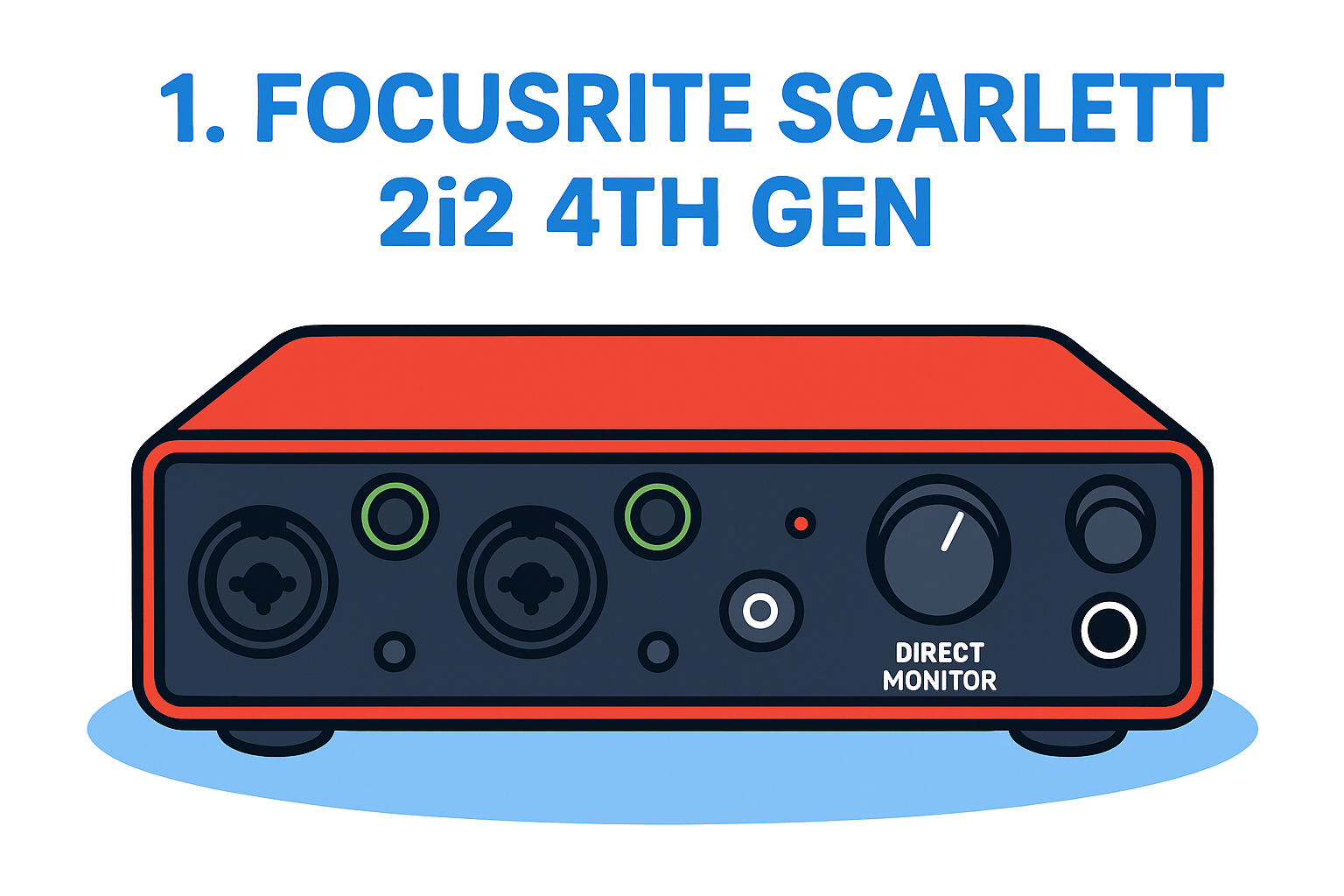
The Focusrite Scarlett 2i2 4th Gen sits at the top of the entry-level pile and has remained the go-to audio interface for FL Studio users for good reason. It's affordable, straightforward to set up, and delivers a clean signal that holds up in a professional mix.
What you get
You get a compact, bus-powered unit that runs over USB-C and needs no external power supply. The 4th Gen version made real improvements over its predecessors, including upgraded preamps, a new "Air" mode for vocal brightness, and a direct monitoring switch to hear your input without software latency.
Key specs at a glance:
-
2 combo XLR/TRS inputs with 56dB of gain range
- 2 balanced TRS outputs plus a dedicated headphone output
- Independent headphone volume control
-
48V phantom power for condenser microphones
Why it works well with FL Studio
FL Studio handles the Scarlett well through Focusrite's dedicated ASIO drivers, which you install during initial setup. Once selected as your audio device inside FL Studio's audio settings, you can push latency down to 3-5ms on most mid-range PCs, which is low enough to track vocals and instruments in real time.
Getting latency below 10ms is the threshold most producers need before live monitoring stops feeling awkward, and the Scarlett clears that bar with room to spare.
Who should buy it
This interface fits beginners and intermediate producers who record vocals, guitars, or hardware synths one or two tracks at a time. It also works well for anyone upgrading from a built-in soundcard who wants an immediate jump in monitoring clarity and recording quality.
A second consideration: if you primarily produce using software instruments inside FL Studio and only occasionally need to capture live audio, the 2i2 gives you exactly the inputs you need without paying for ports you won't use.
Watch-outs
The two-input limit will frustrate you quickly if your sessions grow to include multi-mic setups or full band recordings. Preamps are clean but not exceptional, so high-gain vocal recordings in untreated rooms will still pick up room noise.
Typical 2026 price
Expect to pay around $160 to $180 USD for the Scarlett 2i2 4th Gen at major electronics retailers. That price has held steady, making it one of the strongest value picks at this tier.
2. MOTU M2
The MOTU M2 is a genuine step up in performance from the Scarlett 2i2 without a dramatic price jump. It delivers studio-grade conversion quality that many engineers associate with interfaces costing twice as much, making it a strong option for producers who want to grow into their gear.
What you get
The M2 packs two combination XLR/TRS inputs and two TRS outputs into a slim desktop unit that connects via USB-C. Its biggest differentiator is the ESS Sabre32 Ultra DAC technology, which pushes dynamic range to 120dB. You also get a front-panel LCD meter that displays input and output levels clearly, plus a headphone output with a dedicated volume knob.
Why it works well with FL Studio
MOTU's class-compliant drivers mean FL Studio recognizes the M2 immediately on both Windows and Mac with no extra software installs required. Windows users can run MOTU's dedicated ASIO drivers for tighter latency control, and most producers land in the 4-6ms range without pushing their CPU hard.
That level of latency is low enough for comfortable real-time monitoring while recording vocals or live instruments directly into your FL Studio session.
Who should buy it
The M2 suits producers who want a better audio interface for FL Studio than entry-level gear offers but don't want to spend on a flagship unit. It works especially well for beatmakers who mix with reference-grade headphones and need accurate playback.
Watch-outs
You only get two inputs, so the M2 shares the same limitation as the Scarlett 2i2 for multi-source recording. Preamp gain also tops out lower than some competitors, which can cause issues with low-output dynamic microphones.
Typical 2026 price
Expect to pay around $170 to $200 USD for the MOTU M2 at major retailers, placing it just above the Scarlett 2i2 and offering noticeably better conversion for the added cost.
3. Audient iD14 MkII
The Audient iD14 MkII is a 10-in/6-out interface that punches above its price class with console-grade preamps borrowed from Audient's professional mixing desk heritage. If you've outgrown two inputs and need more routing flexibility inside FL Studio, this is where things get interesting.
What you get
The iD14 MkII connects over USB-C and gives you two Audient Console mic preamps alongside a JFET instrument input on the front panel. You also get two optical inputs, which lets you expand to eight additional channels using an external preamp with ADAT output. Headphone monitoring is handled by a dedicated output with independent level control.
Why it works well with FL Studio
Audient's low-latency ASIO drivers integrate cleanly with FL Studio's audio settings, and most users land comfortably below 6ms round-trip. The iD14 MkII also includes a ScrollControl feature that lets the interface knob control software parameters in FL Studio directly, which genuinely speeds up your mixing workflow.
That kind of hardware-software integration makes the iD14 MkII more than just a recording device; it becomes a hands-on control surface inside your session.
Who should buy it
This is the right audio interface for FL Studio producers who track multiple sources and want room to expand. Vocalists who record in treated spaces will notice the cleaner preamp character immediately.
Watch-outs
The iD14 MkII costs more than the previous two picks, and the ADAT expansion requires additional hardware investment to unlock its full channel count.
Typical 2026 price
Expect to pay around $300 to $330 USD at major retailers.
4. Universal Audio Volt 276
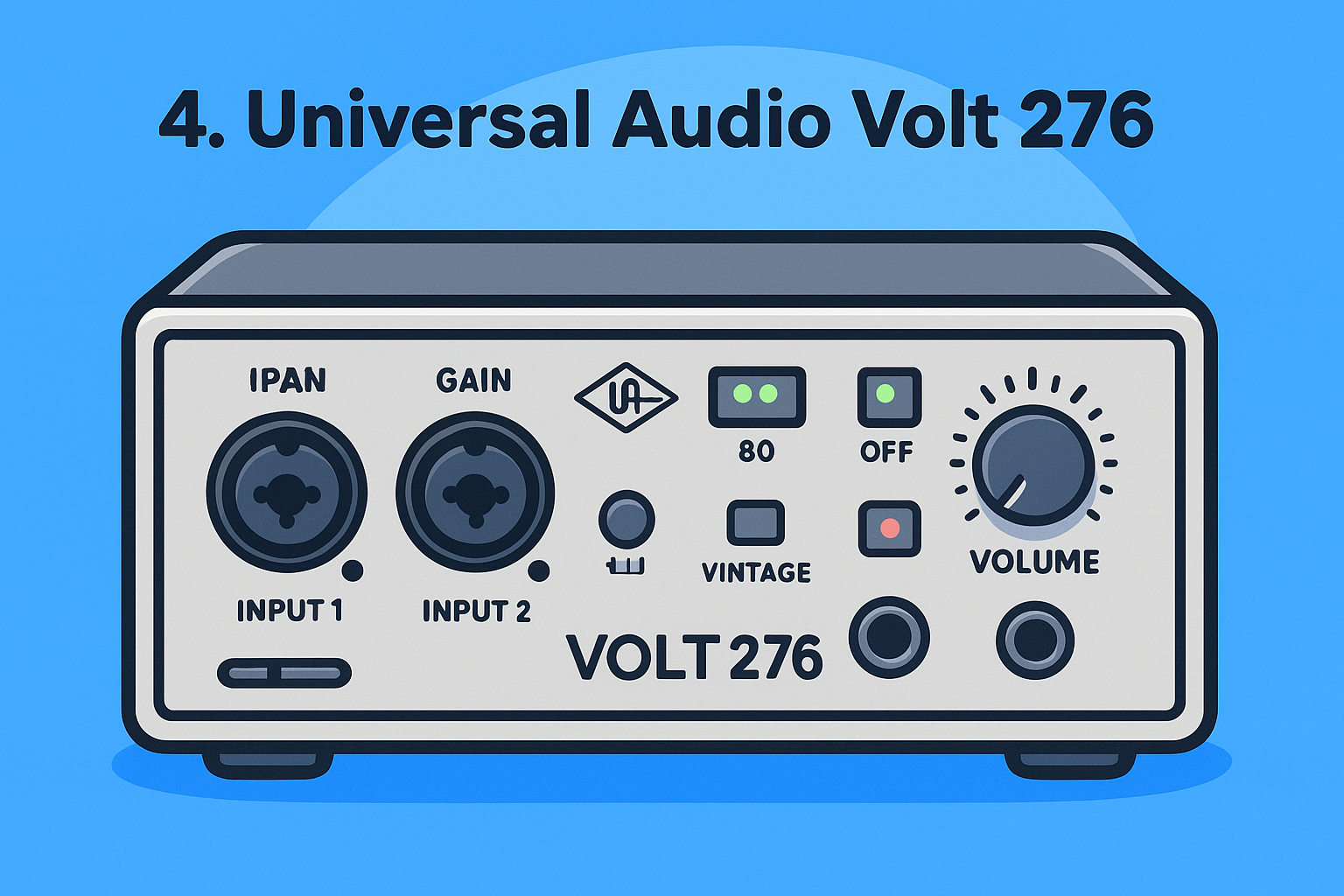
The Universal Audio Volt 276 brings a hardware compressor circuit into the interface itself, which makes it unlike anything else at this price point. If you record vocals or live instruments directly into FL Studio and want analog compression before the signal hits your DAW, this interface earns its spot on this list.
What you get
The Volt 276 connects over USB-C and gives you two combo XLR/TRS inputs, two balanced TRS outputs, and a front-panel headphone output. Its defining feature is the built-in 76 Compressor, a circuit modeled after the classic 1176 hardware unit. You also get a Vintage Mic Preamp mode that adds warmth and harmonic character to your recordings without extra plugins.
Why it works well with FL Studio
Universal Audio provides dedicated ASIO drivers for Windows, and FL Studio picks up the Volt 276 cleanly once you point your audio settings to it. Latency performance sits in the 5-8ms range on a reasonably modern PC, which is workable for live tracking.
Running the hardware compressor on the way in means your vocal takes land in FL Studio already shaped, which saves you processing headroom in the mix.
Who should buy it
This is a strong audio interface for FL Studio producers who record singers or rappers and want a polished signal chain without building out a full rack.
Watch-outs
You only get two inputs, and the onboard compressor has limited adjustability compared to a full outboard unit.
Typical 2026 price
Expect to pay around $200 to $230 USD at major retailers.
5. Steinberg UR22C
The Steinberg UR22C is a reliable two-input interface that benefits from deep integration with Yamaha's hardware ecosystem. It delivers clean preamp performance and solid driver support that makes it a dependable choice for FL Studio producers who value stability over flashy features.
What you get
Inside the compact chassis, you get two combo XLR/TRS inputs with D-PRE preamps, the same preamp design found in Yamaha's professional mixing consoles. You also get two balanced TRS outputs, a headphone output with independent volume control, and 48V phantom power for condenser microphones, all over a USB-C connection.
Why it works well with FL Studio
Steinberg ships the UR22C with dedicated ASIO drivers that FL Studio recognizes immediately in its audio settings. Most producers achieve latency in the 5-7ms range without pushing their system hard, which keeps live tracking comfortable.
That level of driver stability matters more than many producers realize, especially when you're deep in a session and can't afford unexpected dropouts.
Who should buy it
This is a solid audio interface for FL Studio producers who prioritize reliable, no-drama performance and want a unit backed by a major manufacturer with long-term driver support.
Watch-outs
Your gain headroom is more limited compared to the MOTU M2 at a similar price point, and the bundled software adds little practical value for FL Studio users who already own their plugins.
Typical 2026 price
Expect to pay around $150 to $180 USD at major retailers. At that price, the UR22C delivers solid value for producers who want dependable hardware from a trusted name.
6. PreSonus Studio 24c
The PreSonus Studio 24c is an approachable two-input interface that ships with Studio One Artist bundled in the box. For FL Studio producers, that bundled software is mostly irrelevant, but the interface hardware itself earns its place on this list through honest performance and a comfortable price tag.
What you get
The Studio 24c connects over USB-C and gives you two combo XLR/TRS inputs with XMAX-L solid-state preamps, two balanced TRS outputs, and a headphone output with independent level control. You also get 48V phantom power for condenser microphones and a direct monitoring switch to zero-latency monitor your input signal.
Why it works well with FL Studio
PreSonus provides dedicated ASIO drivers for Windows, and FL Studio locates the Studio 24c immediately in your audio settings once drivers are installed. Most producers land in the 5-8ms latency range, which keeps live tracking sessions comfortable and free of noticeable delay.
That plug-and-play compatibility removes setup friction, so you spend your time recording instead of troubleshooting driver conflicts.
Who should buy it
This is a practical audio interface for FL Studio producers who want a straightforward, budget-friendly unit from a well-established manufacturer with reliable long-term support.
Watch-outs
The XMAX-L preamps are quieter and less transparent than those found on the Audient iD14 MkII, so high-quality vocal sessions in treated spaces will reveal the difference.
Typical 2026 price
Expect to pay around $130 to $160 USD at major retailers.
Your next step
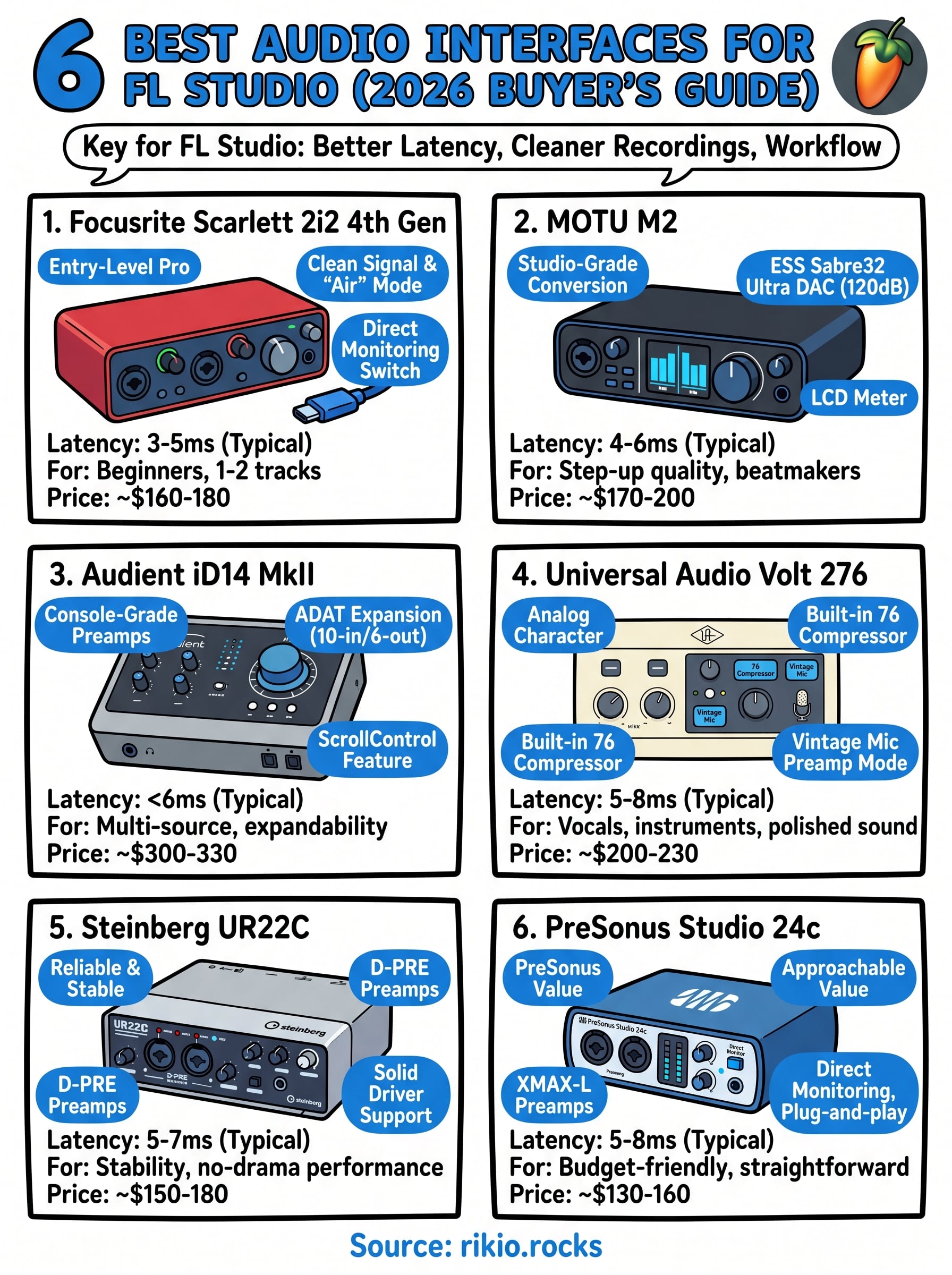
Every pick on this list solves the same core problem: getting clean audio into FL Studio without fighting your hardware. Your budget and recording needs determine which audio interface for FL Studio makes the most sense. If you're just starting out, the Focusrite Scarlett 2i2 4th Gen or PreSonus Studio 24c give you everything you need under $180. If you're ready to invest in better conversion and preamp quality, the MOTU M2 or Audient iD14 MkII reward that spend.
Pick one, plug it in, and start recording. The gear is only as useful as the music you make with it. Speaking of music worth making, the EDM scene keeps pushing out tracks built for movement and energy. If you need fresh inspiration for your next production session, check out the CARDIO HITS 2026 playlist on Spotify to hear what high-energy EDM sounds like right now.
1