9 Best Studio Monitors For Home Studio (2026
Rankings)
Your mix might sound fire in your headphones, but the moment you play it on a proper system, every flaw screams back at you. That's exactly why choosing the best studio monitors for home studio setups is one of the most important gear decisions you'll make as a producer. At RIKIO ROCKS, we cover EDM from every angle, the artists, the festivals, the releases, and the production gear that makes it all possible.
Studio monitors are not regular speakers. They're built to give you a flat, uncolored frequency response so you hear your mix as it actually is, not a hyped-up version of it. For EDM producers working out of bedrooms, spare rooms, or small dedicated spaces, the right pair of monitors can mean the difference between a track that translates everywhere and one that only sounds good in your room. The trouble is, there are dozens of options across wildly different price points, and specs alone won't tell you how they'll perform in your specific setup.
We tested and compared nine studio monitors that make real sense for home studios in 2026. This list covers everything from budget-friendly pairs under $300 to higher-end options for producers ready to invest. Each pick was evaluated on sound accuracy, low-end performance, room adaptability, and overall value, so you can find the right match for your space, your genre, and your budget.
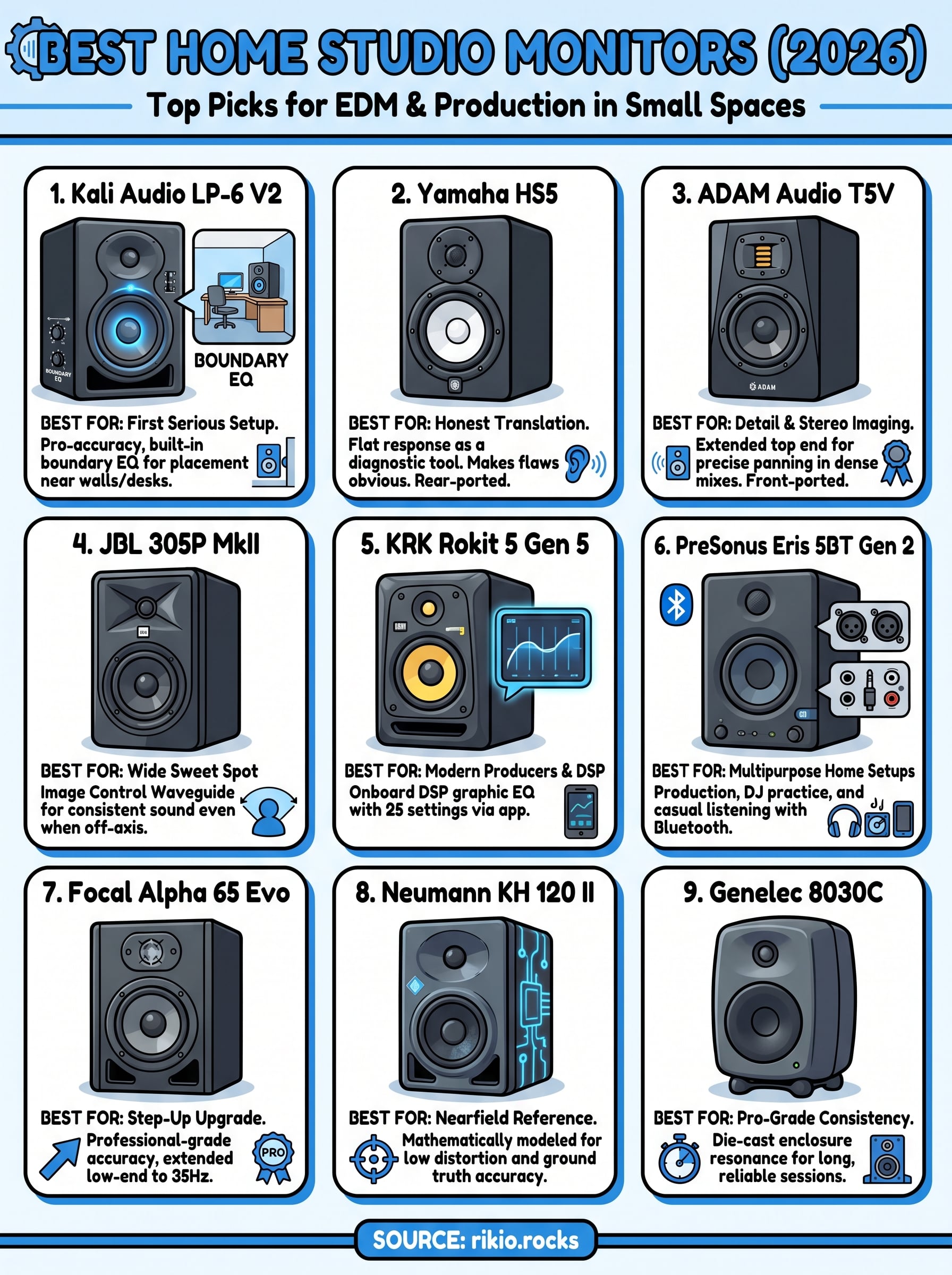
1. Kali Audio LP-6 V2
The Kali Audio LP-6 V2 is the top pick for producers building their first serious home studio setup. It delivers professional-level accuracy at a price point that most beginners can afford without cutting corners on the features that actually matter for real production work.
Why it ranks for home studios
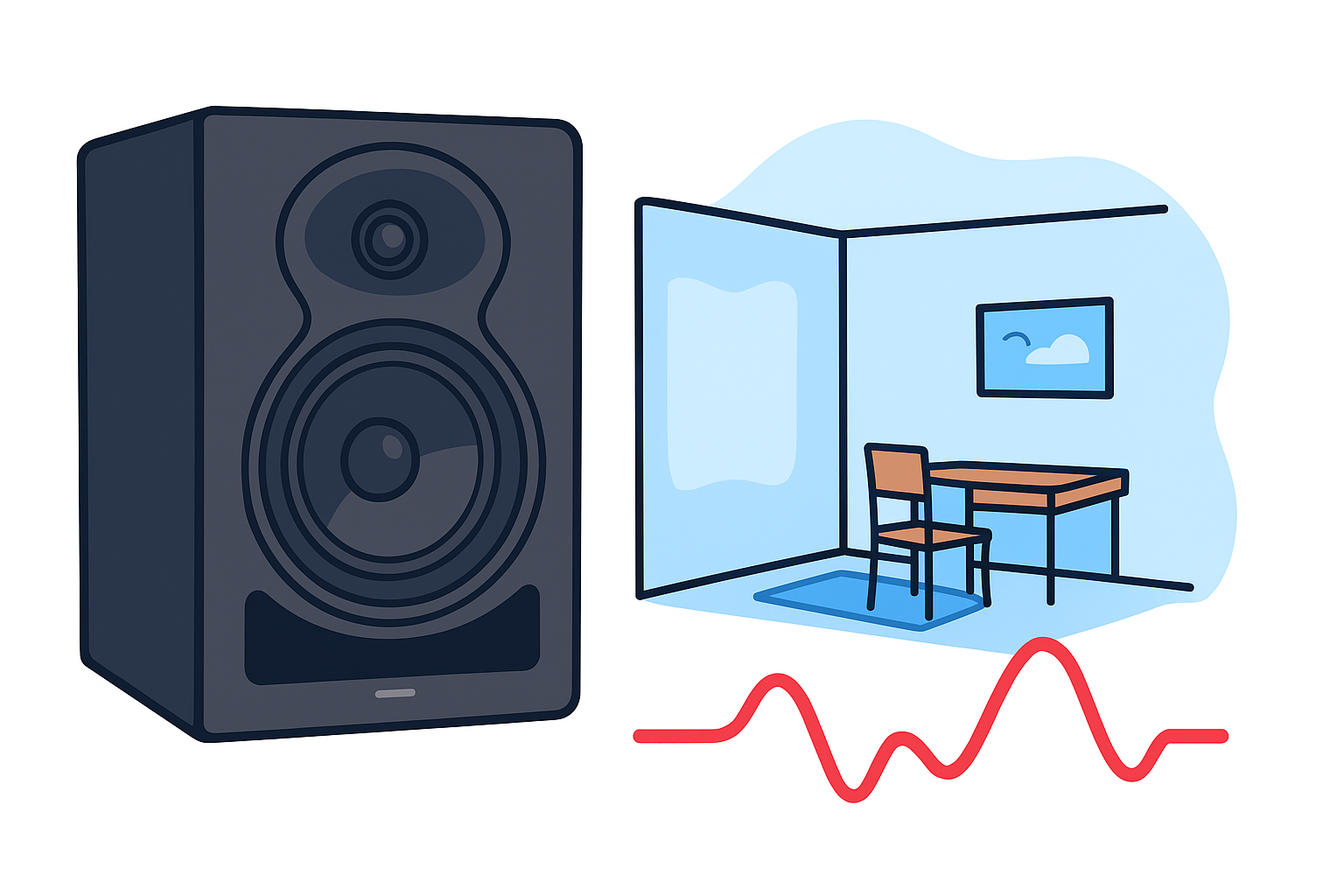
Few monitors at this price point account for real-world room placement problems the way the LP-6 V2 does. Built-in boundary EQ settings on the back panel let you compensate for speaker placement near walls or desks, which is exactly where most home studio monitors end up. That single feature separates this speaker from most of its competitors in the under-$200 range.
The boundary EQ settings make the LP-6 V2 one of the most practical choices for untreated home studios in 2026.
Sound and tuning features that matter in small rooms
Kali packed the LP-6 V2 with a 6-inch woofer and a 1-inch tweeter, giving you enough low-end extension to make real bass decisions without adding a subwoofer. The back panel includes four boundary EQ switch positions: free-standing, one boundary, two boundaries, and desk position. Set this correctly before you start mixing so your baseline response reflects your actual environment rather than your room's worst tendencies.
Room size and listener distance fit
This monitor performs best in rooms between 100 and 200 square feet, and the sweet spot for listening distance lands around 3 to 5 feet from each speaker. If your room is larger or you need more headroom at higher volumes, consider stepping up to the LP-8 V2 instead of pushing these beyond their comfortable range.
Connectivity and setup notes
Both XLR and TRS inputs are on board, so the LP-6 V2 works with virtually any audio interface you already own. There is no Bluetooth or USB audio, which keeps the signal path clean and direct. You will need balanced cables to get the best noise rejection, especially in home environments packed with other electronics drawing power nearby.
Price and what you need to buy
Each monitor runs around $100 to $110, putting a stereo pair at roughly $200. Beyond the monitors, budget for XLR or TRS cables and a dedicated audio interface if you do not already own one.
2. Yamaha HS5
The Yamaha HS5 ranks among the most recognized picks in the best studio monitors for home studio category, and its reputation comes down to one clear reason: honest sound reproduction. Producers across every genre reach for it when they need to know exactly how their mix will translate across other playback systems.
Why it ranks for mixing translation
Yamaha designed the HS5 around a white woofer cone to deliver a flat, uncolored frequency response that surfaces problems in your mix before they follow you into the final export. If your track holds up on HS5s, it will generally survive earbuds, car speakers, and club rigs.
The HS5's flat response is why professionals treat it as a diagnostic tool, not a flattering listen.
What it does well and what it doesn't
The HS5 excels at midrange clarity and stereo imaging, making it easy to place elements in a mix with confidence. The low end rolls off below 54Hz, meaning you will miss critical sub-bass detail on bass-heavy EDM productions without pairing it with a dedicated subwoofer like the Yamaha HS8S.
Best placement tips for rear-ported designs
Because the HS5 is rear-ported, it needs breathing room behind it. Keep at least 8 to 10 inches of clearance between the back panel and your wall to prevent bass buildup from distorting your low-end reference point.
Connectivity and setup notes
Both XLR and TRS inputs are included, so the HS5 connects directly to any standard audio interface without extra adapters. Keep your signal path balanced to reduce noise in home environments packed with competing electronics.
Price and what you need to buy
Each HS5 runs around $200, putting a stereo pair near $400. Budget for balanced XLR or TRS cables if you do not already own them.
3. ADAM Audio T5V
The ADAM Audio T5V earns its place among the best studio monitors for home studio setups because it brings a level of stereo imaging and high-frequency detail that most monitors in its price range simply cannot match. For EDM producers who layer intricate synth elements and need to place sounds precisely in the stereo field, that detail directly impacts the quality of the finished mix.
Why it ranks for detail and stereo imaging
The T5V's wide, airy high-frequency response gives you a clearer window into the upper registers of your mix than most similarly priced monitors offer. Every element in a dense arrangement sits more distinctly in the stereo field, which makes the panning and width decisions you make on the T5V carry through reliably to other playback systems.
The T5V's stereo imaging performance at this price point is what keeps producers coming back to it over more familiar names.
What the ribbon-style tweeter changes in practice
ADAM uses their proprietary A-ART ribbon-style tweeter instead of a standard dome tweeter. The practical difference is a smoother, more extended top end with less harshness at higher listening levels. When you push the volume for a reference check, the highs stay detailed without becoming fatiguing, which matters during long production sessions.
Room size and genre fit for EDM production
The T5V fits well in rooms under 150 square feet at listening distances between 2 and 4 feet. The front-ported design handles proximity to walls better than rear-ported alternatives, giving you more flexible placement options.
Connectivity and setup notes
The T5V accepts XLR and RCA inputs, covering most interface configurations without extra adapters. Use balanced XLR cables to keep the noise floor low.
Price and what you need to buy
Each T5V runs around $200 to $220, putting a stereo pair near $420. Add balanced cables and a reliable audio interface to complete your setup.
4. JBL 305P MkII
The JBL 305P MkII is one of the most flexible picks in the best studio monitors for home studio category. Its defining strength is a wide listening sweet spot that keeps your stereo image consistent even when you move around your workspace between sessions.
Why it ranks for wide sweet spot
JBL's Image Control Waveguide technology widens the area where stereo imaging holds together, giving you accurate monitoring even when you shift slightly off-axis. That matters in home studios where you rarely sit perfectly centered for every listening check. Most monitors at this price force you to stay locked in a narrow triangle to hear the mix correctly.
The wide sweet spot makes the 305P MkII practical for producers who share their space or work from less-than-ideal desk configurations.
What to expect in bass and highs
The 5-inch woofer reaches down to around 43Hz, giving you more usable low-end than most competitors at this price. The 1-inch tweeter handles the top end cleanly without adding harshness, so high-frequency elements like hi-hats and synth leads sit clearly in the mix without fatiguing your ears.
Best use cases in untreated rooms
The 305P MkII handles reflective, untreated spaces better than most monitors in its class. The onboard boundary EQ switches help you cut low-end buildup from nearby walls before it distorts your reference point, which is exactly the issue most home studios deal with regularly.
Connectivity and setup notes
Both XLR and TRS inputs are on board. Always use balanced cables to keep your noise floor low and your signal clean from the interface to the monitor.
Price and what you need to buy
Each monitor runs around $150, putting a stereo pair near $300. Budget for balanced cables if you do not already own a set.
5. KRK Rokit 5 Generation 5
The KRK Rokit 5 Generation 5 is a strong contender among the best studio monitors for home studio setups, particularly for producers who want onboard room correction tools built directly into the monitor rather than relying on separate hardware or software.
Why it ranks for modern producers
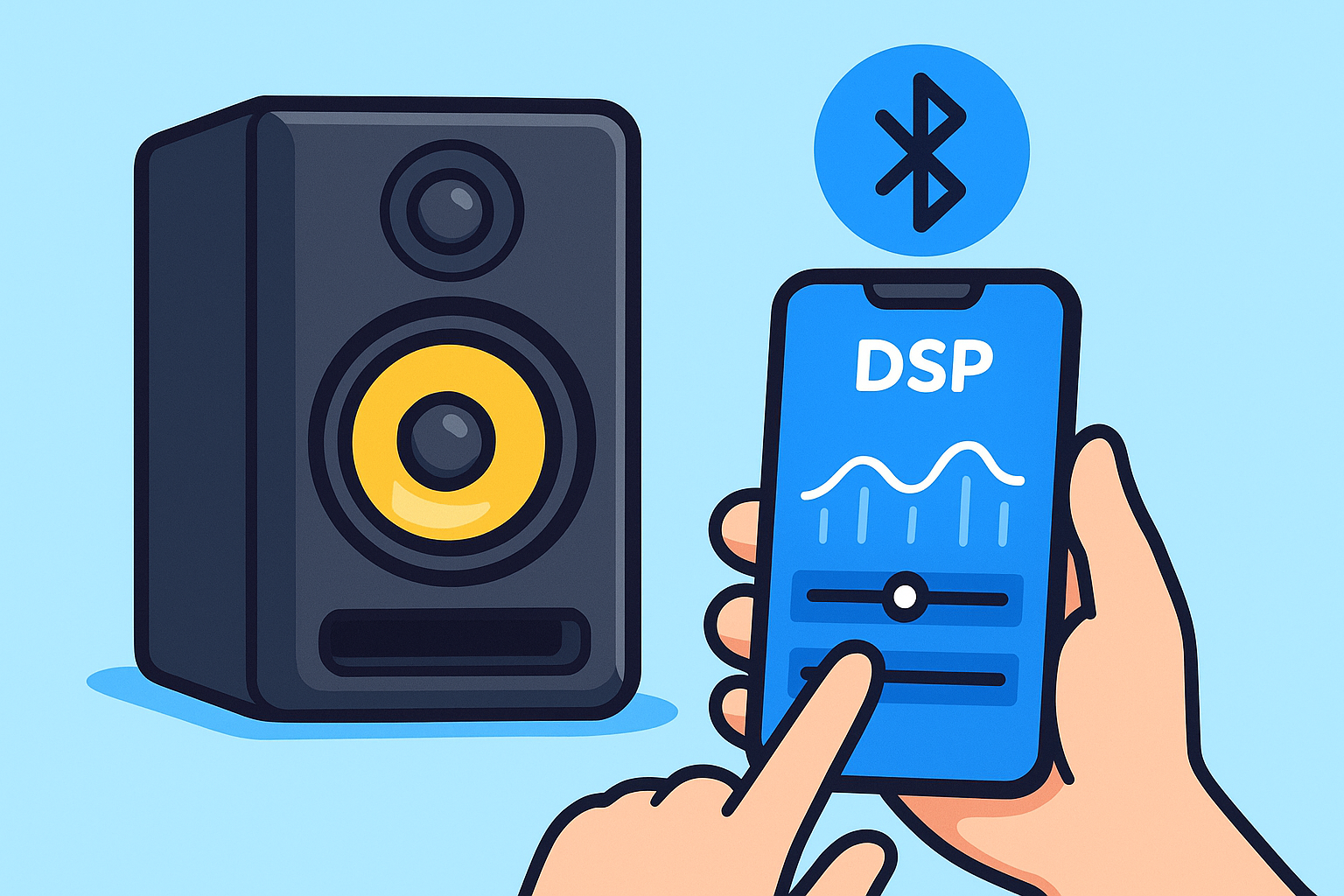
KRK rebuilt the Rokit line with modern EDM and hip-hop producers in mind. The Generation 5 features a built-in DSP-driven graphic EQ with 25 onboard settings, giving you real tuning control without spending extra on room correction plugins or outboard gear.
The built-in DSP makes the Rokit 5 Gen 5 one of the most self-contained monitors available under $200.
Built-in voicing and DSP controls to use first
Before you start mixing, open the KRK App on your phone or tablet and run through the room correction settings. The app connects via Bluetooth and walks you through adjusting the EQ curve to match your specific placement and room conditions. Use this before trusting the default factory sound.
When it helps and when it can mislead your mix
The Rokit 5's low-mid emphasis flatters bass-heavy tracks during playback, which feels good but can cause you to undercut low-end in your mix. Treat the DSP as a correction tool, not a preference setting, and reference your mixes on a flat monitor or headphones before finalizing.
Connectivity and setup notes
The Rokit 5 Gen 5 accepts XLR and TRS inputs and connects to the KRK App via Bluetooth solely for DSP control. Use balanced cables for your audio signal.
Price and what you need to buy
Each monitor runs around $170 to $180, putting a stereo pair near $350. Budget for balanced cables and a reliable audio interface.
6. PreSonus Eris 5BT Generation 2
The PreSonus Eris 5BT Generation 2 stands out among the best studio monitors for home studio setups because it goes beyond single-purpose monitoring. It functions as a full multipurpose speaker system that covers music production, DJ practice, and casual listening from one pair of monitors.
Why it ranks for multipurpose home setups
Most studio monitors lock you into a single use case, but the Eris 5BT Gen 2 bridges production work and everyday listening without forcing you to switch gear. The built-in acoustic tuning controls on the back panel let you dial in a response curve that works for your specific room, making the monitor genuinely useful across multiple tasks without extra hardware.
The Eris 5BT Gen 2's flexibility makes it the strongest value option for producers who use their studio space for more than just mixing.
Bluetooth and convenience features that are actually useful
The Eris 5BT includes Class 2 Bluetooth 5.0 connectivity, which lets you stream audio from your phone or tablet without a cable. The wireless connection holds steady up to 30 feet, so you can walk across the room and check how your mix translates at a distance.
Best use cases for writing, DJ practice, and casual mixing
This monitor fits producers who run multiple activities through their home setup each day. It handles each of these scenarios comfortably:
- Writing and arrangement sessions where accurate mids matter
-
DJ set practice with wireless playback from a phone or controller
- Casual listening without switching to a separate speaker system
Connectivity and setup notes
The Eris 5BT accepts XLR, TRS, and RCA inputs alongside Bluetooth, covering any interface or consumer device you already own. Always use balanced XLR or TRS cables when connecting your audio interface for the cleanest possible signal.
Price and what you need to buy
Each monitor runs around $130 to $145, putting a stereo pair near $270. Budget for balanced cables if you plan to use the wired inputs for production work.
7. Focal Alpha 65 Evo
The Focal Alpha 65 Evo sits at a higher tier among the best studio monitors for home studio setups, built for producers who have outgrown their starter monitors and need professional-grade accuracy to push their mixes to the next level.
Why it ranks as a step-up upgrade
Focal engineered the Alpha 65 Evo for producers who have already developed their ears and now need a monitor that keeps up with that level of critical listening. The 6.5-inch woofer and aluminum-alloy tweeter deliver a tighter, more resolved sound than anything in the sub-$400 range, giving you the confidence to make final mix decisions without second-guessing the reference.
The Alpha 65 Evo rewards producers who have already built solid mixing habits and are ready for a monitor that reveals more of what they are working with.
Low-end behavior and midrange clarity for balancing mixes
The Alpha 65 Evo extends cleanly down to 35Hz, which means you can make real sub-bass decisions without a dedicated subwoofer. The midrange reproduction is tight and well-defined, making it easy to identify frequency conflicts between bass elements, pads, and leads that cluster in the same range.
Room size fit and listening distance
This monitor works best in rooms between 150 and 300 square feet at a listening distance of 4 to 6 feet. Smaller rooms will need acoustic treatment to control the extended low-end response properly.
Connectivity and setup notes
The Alpha 65 Evo accepts XLR and TRS inputs, covering any professional interface without extra adapters. Use balanced XLR cables to keep the noise floor clean.
Price and what you need to buy
Each monitor runs around $475 to $500, putting a stereo pair near $950. Budget for balanced cables and proper acoustic treatment if your room is small.
8. Neumann KH 120 II
The Neumann KH 120 II represents the top tier of nearfield monitors available for serious home studio work. When you need a reference-grade tool that removes the monitor from the equation entirely, this is the benchmark against which most other options in the best studio monitors for home studio category are measured.
Why it ranks for accuracy in nearfield
Neumann built the KH 120 II around mathematically modeled transducers that produce an exceptionally controlled, low-distortion output at typical nearfield listening distances. The result is a monitor that gives you a reliable, repeatable reference every single session, with no hyped frequencies to second-guess.
The KH 120 II is the closest thing to a ground truth reference most home studios will ever have access to.
What you gain vs midrange-priced monitors
Moving from a $200 monitor to the KH 120 II, you gain dramatically lower distortion, tighter transient response, and a stereo image that stays locked in place even at higher playback levels. Mid-tier monitors compress slightly under dynamic material; this one does not.
Room correction options and how to think about them
The KH 120 II includes onboard analog correction controls for low-frequency shelf adjustments and high-frequency tilt. Use these to compensate for your room first, and only reach for software room correction tools afterward if problems persist.
Connectivity and setup notes
The KH 120 II accepts XLR analog and AES3 digital inputs, giving you flexible routing options. Use balanced XLR cables for standard interface connections.
Price and what you need to buy
Each monitor runs around $1,000 to $1,100, putting a stereo pair near $2,100. Budget for acoustic treatment to match the monitor's resolving capability.
9. Genelec 8030C
The Genelec 8030C closes out this list of the best studio monitors for home studio setups as the pro-grade option built for producers who demand broadcast-level consistency and long-term reliability in every session. Genelec has supplied professional studios worldwide for decades, and the 8030C brings that engineering directly into your home setup.
Why it ranks for pro-grade consistency
Genelec designed the 8030C around die-cast aluminum enclosures that eliminate the resonance and cabinet coloration you find in most plastic or wood-boxed monitors. The result is a speaker that sounds identical at the start of a six-hour session and at the end of it, which matters more than most producers realize until they switch.
Consistent sound across long sessions reduces the risk of mix decisions that only made sense when your ears were fresh.
Onboard tuning controls to match your room
The 8030C includes treble and bass tilt controls on the back panel to compensate for room acoustics and placement. These let you shape the monitor's response without additional outboard gear, keeping your signal chain clean and your tuning adjustments repeatable.
Best use cases for production, mixing, and long sessions
This monitor suits producers who work long creative and mixing sessions and need a reference that holds up without introducing fatigue. The 8030C fits comfortably in rooms between 150 and 250 square feet at listening distances of 3 to 5 feet.
Connectivity and setup notes
The 8030C accepts XLR and TRS inputs. Use balanced cables to keep the noise floor down.
Price and what you need to buy
Each monitor runs around $450 to $500, putting a stereo pair near $900. Budget for balanced XLR cables and basic acoustic treatment.
Next Steps
Picking the best studio monitors for home studio production comes down to matching the monitor to your actual situation, not just buying the most expensive pair on the list. If you are just starting out, the Kali Audio LP-6 V2 gives you professional accuracy at a price that leaves budget for the rest of your setup. If you have been producing for a while and your mixes are not translating the way you want, stepping up to the Focal Alpha 65 Evo or Genelec 8030C will reveal what your current monitors are hiding from you.
Your monitors shape every creative decision you make in the studio, so treat this purchase as a long-term investment rather than a quick fix. Once your setup is dialed in, you need great music to reference alongside your own work. Check out our CARDIO HITS 2026 playlist on Spotify for a high-energy mix that doubles as a solid reference for dynamic, bass-forward EDM production.
12