DJ Beginner Equipment: 8 Essentials to Start Your
Setup
Every DJ scrolling through gear forums at 2 a.m. hits the same wall: too many options, too much conflicting advice, and no clear idea what actually matters for dj beginner equipment. Controllers, mixers, monitors, headphones, the list keeps growing, and half of it is overkill for someone who hasn't mixed their first track yet.
Here's the short answer: you don't need a full club rig to start. A solid starter dj equipment setup covers a controller, a laptop with DJ software, a decent pair of headphones, and reliable speakers or monitors. That's it. Everything else, from cases to lighting, can wait until you know what you actually use.
This list breaks down eight pieces of dj setup for beginners worth buying now, why each one matters, and what to skip until your skills catch up with your gear closet. Whether you're prepping for house parties or aiming at your first club set, you'll walk away knowing exactly what to add to your cart and what to leave on the shelf.
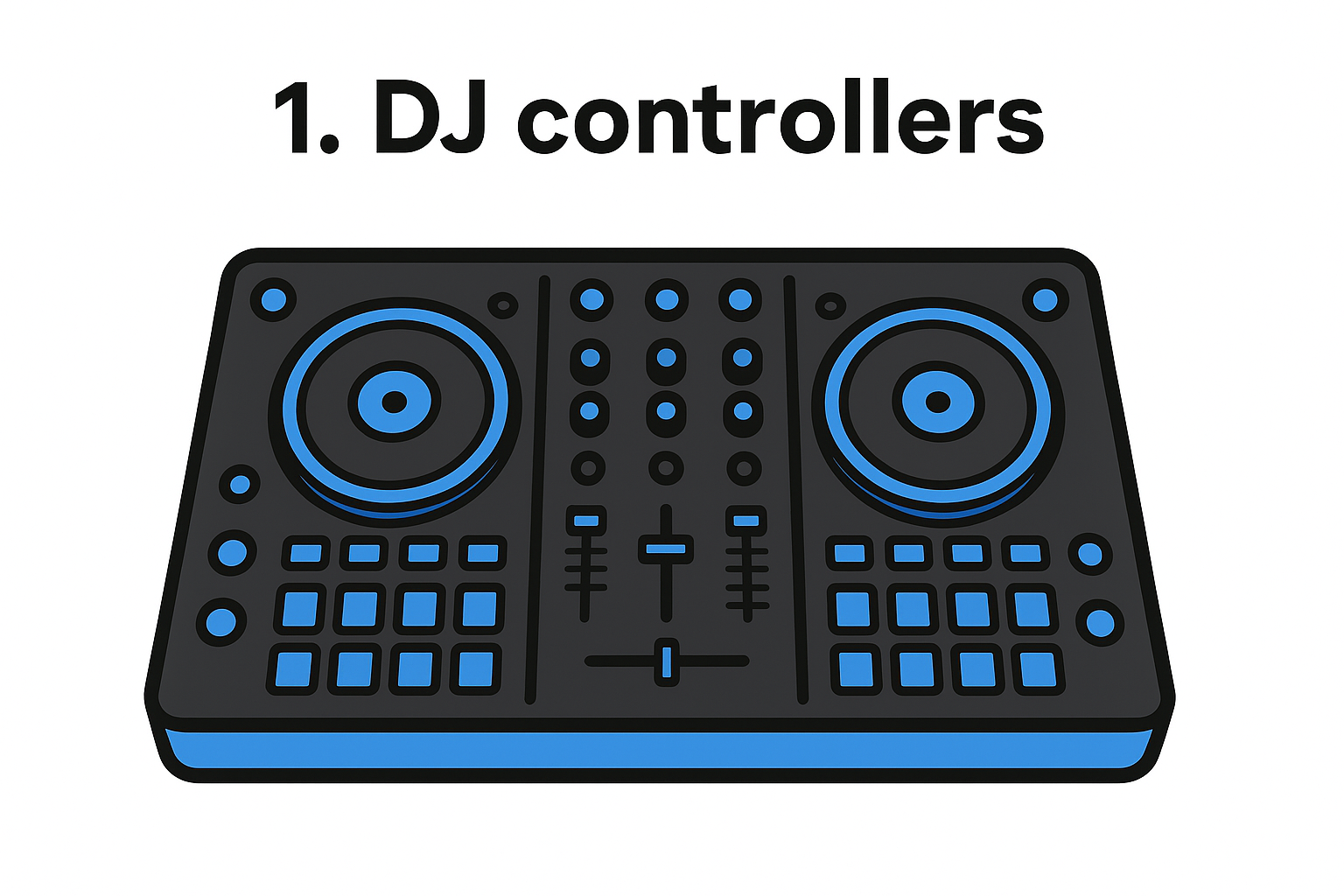
1. DJ controllers
Controllers sit at the top of nearly every recommendation list for dj beginner equipment, and that reputation is earned. A controller packs the core layout of a professional DJ booth, jog wheels, mixer channels, EQ knobs, and performance pads, into one compact unit that plugs straight into your laptop. You get real hands-on practice without paying for turntables, a mixer, and an audio interface separately, which makes it the most practical entry point for most new DJs.
How they work
A controller doesn't produce sound on its own. It sends MIDI signals to DJ software like Serato, rekordbox, or Virtual DJ running on your laptop, and the software handles the actual audio processing and playback. Turning a jog wheel scratches or nudges the track in the software; pressing a pad triggers a cue point, loop, or sample. USB connectivity carries both the control signals and, on most modern controllers, the audio output too, so a single cable links the controller to your computer.
A controller teaches you real DJ technique while the software handles the heavy lifting behind the scenes.
Who they're best for
Controllers suit almost anyone starting out, from bedroom hobbyists to people planning actual club gigs down the line. If you want a rig that mirrors what you'll eventually use on bigger festival or club gear, a controller builds the right muscle memory from day one instead of teaching habits you'll have to unlearn. They also fit tight equipment for beginner dj budgets, since you can start with a two-channel model and upgrade later without relearning your whole workflow. Anyone unsure whether they'll stick with DJing should start here rather than with pricier standalone gear.
What to look for and price range
Look for a controller with at least two channels, a built-in audio interface, and compatibility with software you actually want to learn long-term, since switching platforms later means relearning shortcuts and layouts. Pad count and flashy screens matter less at the start than reliable jog wheels and a mixer section that feels solid under your hands.
|
Price range
|
What you get
|
|
$100 to $200
|
2-channel controllers, basic pads, entry-level software license
|
|
$250 to $450
|
Larger jog wheels, better build quality, full software bundles
|
|
$500 and up
|
4-channel layouts, standalone-ready features, club-style mixers
|
Stick to the lower two tiers for your first purchase. You can always resell a beginner controller once you outgrow it, but you can't get back money spent on features you never touched while you were still learning the basics.
2. All-in-one standalone DJ systems
Standalone systems strip the laptop out of the equation entirely. These units house the software, storage, and processing power right inside the hardware, so you plug in a USB drive loaded with tracks and start mixing without a computer anywhere in sight. They cost more than a basic controller, but they solve a real problem for DJs who want a rig that works the same way at a friend's backyard party as it does in a booth with spotty power and no desk space for a laptop.
How they work
Every standalone unit runs its own operating system, similar to what you'd find inside a smartphone, and it reads your music library directly from a USB stick, SD card, or sometimes streaming services synced ahead of time. Waveforms, cue points, and effects all render on the built-in screen, so there's no dependency on software running on a separate machine. Some models still support laptop connection as an optional mode, which gives you flexibility without forcing the standalone route on every gig.
A standalone system means one less cable, one less laptop battery, and one less thing that can crash mid-set.
Who they're best for
Mobile DJs, wedding and event performers, and anyone who wants dj sets for beginners that double as gig-ready gear will get the most value here. If losing your laptop charger or dealing with a software update mid-party sounds like your nightmare scenario, a standalone unit removes that risk completely. Beginners still building basic mixing skills, though, often find the smaller screens and menu navigation slower to learn on than a laptop's full display.
What to look for and price range
Prioritize onboard screen size, USB and SD card slots, and whether the unit supports streaming platforms you already use.
- $400 to $700: single or dual-deck standalone players
- $800 to $1,200: full standalone systems with built-in mixer sections
- $1,300 and up: club-standard multi-deck standalone rigs
Most beginners can skip this tier until they're booking paid gigs.
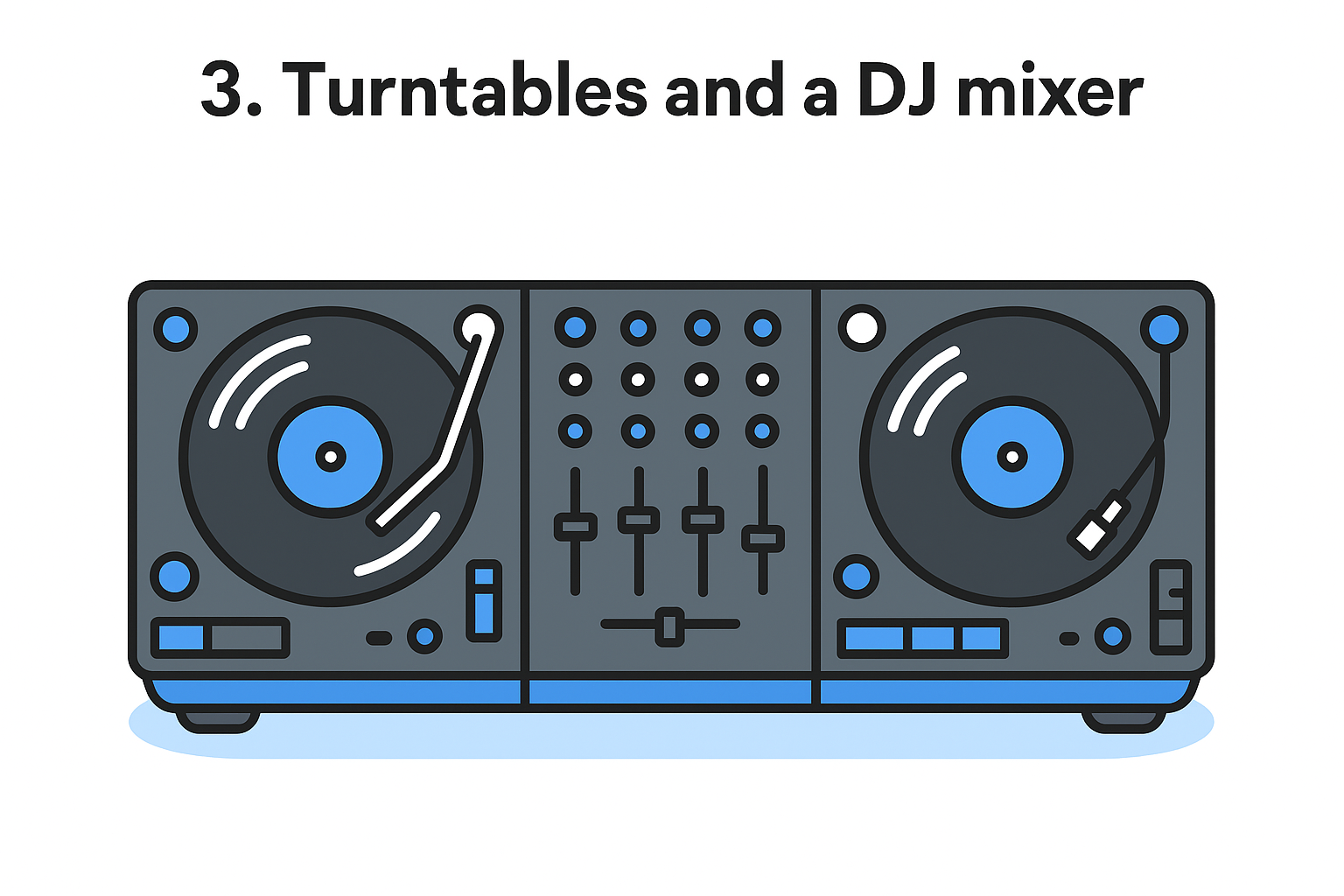
3. Turntables and a DJ mixer
Turntables paired with a standalone mixer represent the original DJ setup, the one every modern controller tries to imitate. This path costs more and takes longer to learn, but it teaches beatmatching by ear and hand technique that no jog wheel fully replicates. Anyone drawn to vinyl culture, scratching, or the classic club aesthetic should consider this route seriously, even as starter dj equipment, because the skills transfer directly to any gear you touch later.
How they work
Each turntable spins a record at a fixed speed while a cartridge and needle read the grooves and convert them into an audio signal. That signal runs into a dedicated DJ mixer, where you blend channels, adjust EQ, and crossfade between two decks manually. Digital vinyl systems (DVS) like Serato DVS or rekordbox DVS let you control MP3s or WAV files using special time-coded vinyl, giving you real turntable feel without needing a room full of physical records.
Turntables force you to learn beatmatching with your ears, a skill that makes every other DJ setup feel easier by comparison.
Who they're best for
Hip-hop DJs, scratch DJs, and anyone chasing an authentic club or vinyl sound will get the most out of this dj mixing equipment for beginners option. It's not the fastest way to start playing full sets, and it demands more patience upfront than a controller does. Beginners mainly interested in producing mixes for streaming or private parties usually find a controller gets them mixing sooner with less frustration.
What to look for and price range
Direct-drive turntables (not belt-drive) matter for reliable pitch control and scratching, and a mixer with solid crossfader curves saves you future upgrades.
- $150 to $300 per turntable: entry-level direct-drive models
- $200 to $500: two-channel DJ mixers
- $1,000 to $1,500 total: a complete two-turntable-and-mixer setup
Budget for a DVS software license too, since it's rarely included.
4. A laptop with DJ software
No controller or DVS setup does anything without a computer running the actual mixing software behind it, which makes a decent laptop one of the most overlooked pieces of dj beginner equipment. Plenty of beginners buy a great controller and then try to run it on a five-year-old machine that stutters under the load, and the whole setup feels broken even though the hardware is fine.
How it works
Your laptop runs the DJ software, Serato DJ Pro, rekordbox, or Virtual DJ, that reads your audio files, applies effects, and sends output through your controller's built-in audio interface. The software also handles beat detection, waveform display, and library management, so its performance depends entirely on your laptop's processing power and available memory. Skimp here and you'll hear it as glitches, dropouts, or laggy jog wheel response mid-mix.
Your controller is only as good as the laptop running it, so don't cheap out on the machine doing the actual work.
Who it's best for
Almost every beginner using a controller or DVS turntables needs this piece, which makes it less optional than most items on this list. If you already own a laptop from the last three or four years with decent specs, you likely don't need to buy anything new here, just confirm it meets your software's minimum requirements before you commit.
What to look for and price range
Check these baseline specs before buying or repurposing a laptop for DJing:
-
8GB RAM minimum, 16GB preferred for smoother multitasking
-
SSD storage, not a spinning hard drive, for faster library loading
- At least two USB ports, since controllers and flash drives both need one
- A recent Intel i5, i7, or Apple M-series chip
Budget laptops meeting these specs run $500 to $800, while gaming or creator laptops with extra headroom land between $900 and $1,500. Refurbished machines from reputable sellers work fine and save real money for beginners.
5. DJ headphones
Headphones do double duty for a DJ that a listener at home never has to think about: you're cueing up the next track in your ear while the crowd hears something completely different through the speakers. Cheap earbuds or gaming headsets can't handle that split, which is why dedicated dj headphones show up on every serious gear list, right alongside the controller itself.
How they work
DJ headphones use a closed-back design that seals out room noise, so you can hear the incoming track clearly even next to a loud PA. Most models include a swiveling ear cup, letting you rest one ear on the cushion and one off it, which is how DJs cue with one ear while monitoring the room with the other. A coiled cable and a locking connector matter more than they sound, since a cable that snags or pulls loose mid-mix ruins a set fast.
Good DJ headphones let you cue the next track with one ear while the crowd keeps dancing to the last one.
Who they're best for
Every beginner needs a pair, full stop, whether you're running a controller, a standalone unit, or turntables. Bedroom producers who only mix at home can get away with lighter models, but anyone planning to play out, even at a house party, needs the isolation that closed-back cans provide over open studio headphones.
What to look for and price range
Prioritize comfort for long sessions, a firm but not painful clamping force, and cups rated for at least 100dB to handle loud monitoring without distortion.
|
Price range
|
What you get
|
|
$30 to $60
|
Basic closed-back cans, decent isolation
|
|
$80 to $150
|
Swivel cups, replaceable cables, better bass response
|
|
$200 and up
|
Pro-grade builds, higher durability for touring DJs
|
A $100 pair covers nearly every beginner's needs for years.
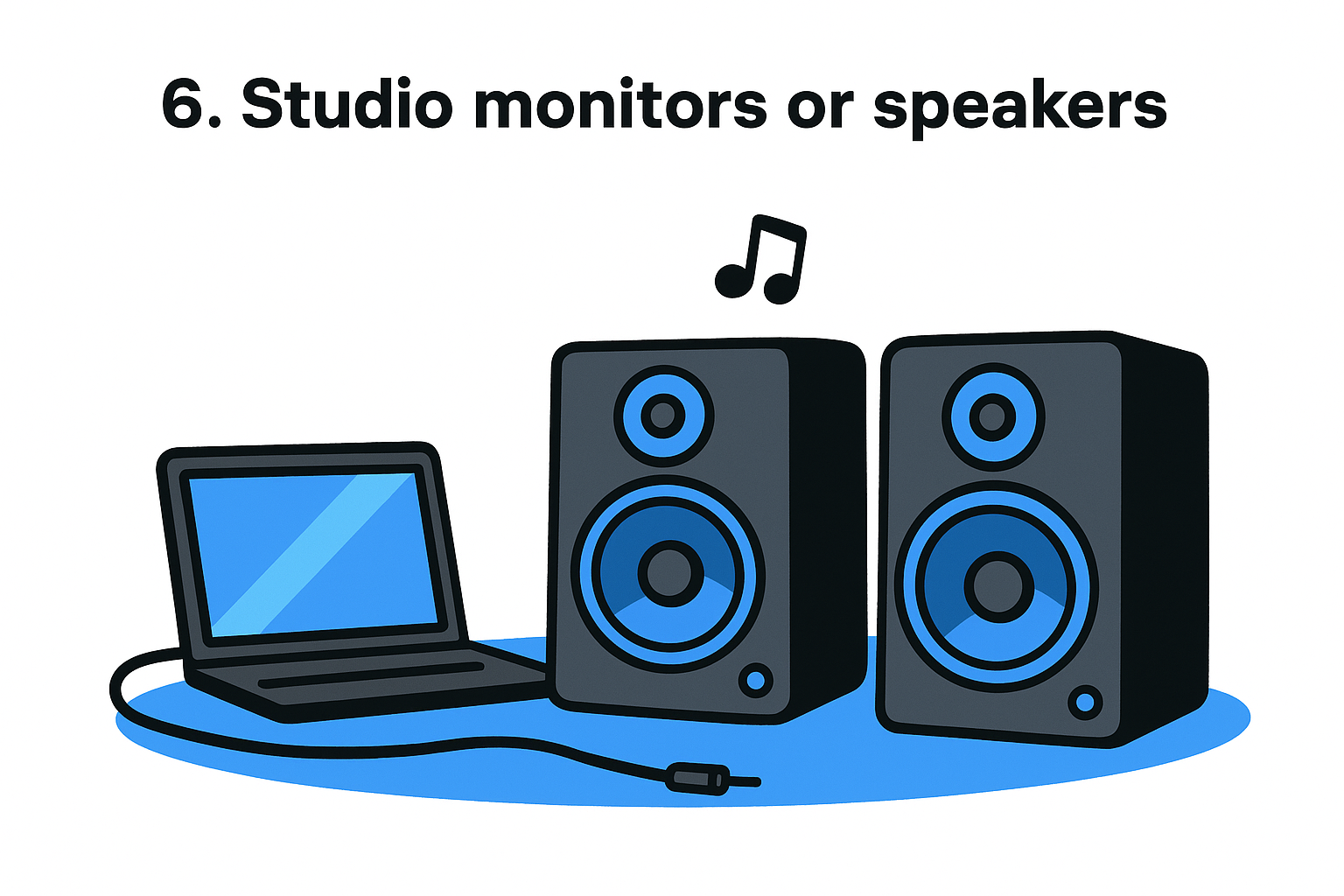
6. Studio monitors or speakers
Headphones tell you what a track sounds like in isolation, but studio monitors tell you what the room actually hears, and that difference matters the moment you try to blend two songs together. Bookshelf speakers or a laptop's built-in speakers roll off bass and smear detail, which means a mix that sounds tight through headphones can fall apart the second it hits real speakers. Any serious dj setup for beginners needs at least one reliable playback source beyond headphones alone.
How they work
Studio monitors use active amplification built into each speaker cabinet, so you skip the separate amp a home stereo needs. A flat frequency response is the whole point: instead of boosting bass or treble to sound impressive, monitors reproduce audio as close to the source as possible, so you hear EQ mistakes and muddy transitions before a crowd does. Most connect to your controller or laptop through RCA or balanced TRS cables, giving you a straightforward chain from software to sound.
Monitors don't flatter your mix, they expose it, and that honesty is exactly what makes them useful.
Who they're best for
Bedroom DJs and anyone practicing at home benefit most, since monitors reveal problems that headphones hide entirely. Producers layering tracks or building playlists for dj mixing equipment for beginners setups should treat monitors as close to mandatory. DJs who only ever play through a venue's house system can wait longer on this purchase, but even they'll practice better with accurate speakers nearby.
What to look for and price range
Look for 5-inch drivers as a comfortable starting size, at least one input matching your controller's output, and a bass port design suited to a small room rather than a stage.
|
Price range
|
What you get
|
|
$100 to $200
|
Small 3 to 4-inch monitors, fine for close listening
|
|
$250 to $400
|
5-inch drivers, better bass extension
|
|
$500 and up
|
Studio-grade pairs built for accuracy and volume
|
A $150 to $250 pair covers most home practice needs comfortably.
7. Cables and accessories
Nobody buys DJ gear for beginners thinking about cables, but a loose RCA cord or a missing adapter has ended more house-party sets than a bad transition ever will. This category covers the small stuff: cables, a case, a laptop stand, maybe a backup flash drive, none of it exciting, all of it capable of stopping a set cold if it's missing when you need it.
How they work
Every piece of gear in your rig connects through something, whether that's a USB cable linking your controller to your laptop, RCA cables running to your monitors, or a 1/4-inch TRS cable feeding a mixer's booth output. A padded case protects jog wheels and knobs from scratches and drops during transport, while a laptop stand angles your screen so you're not hunched over during a two-hour set. None of these parts do anything flashy, but a broken link anywhere in that chain kills your sound entirely.
A $5,000 rig is useless if a $10 cable fails mid-set.
Who they're best for
Every beginner needs this stuff, no exceptions, but it matters most for anyone playing outside their bedroom. If you're hauling gear to a friend's backyard, a bar, or a first paid gig, a case and a spare cable or two turn a potential disaster into a five-minute fix.
What to look for and price range
Build a small accessories kit before your first gig rather than scrambling after something fails:
-
Backup USB cable: $8 to $15, matching your controller's connector type
-
Padded case or bag: $30 to $80, sized to your specific controller
-
Spare RCA and TRS cables: $10 to $25 each
-
Laptop stand: $20 to $40 for a folding metal stand
-
Backup flash drive: $10 to $20 loaded with a duplicate music library
A full accessories kit runs $80 to $150 total, and it's the cheapest insurance policy your setup will ever have.
8. Music library and streaming access
No amount of gear matters if you don't have tracks to play, yet music sits at the bottom of most dj beginner equipment checklists. A controller, headphones, and monitors are just tools; the songs you load are what actually make or break a set. Beginners often assume Spotify or Apple Music will work the same way it does for casual listening, then discover mid-practice that streaming apps weren't built with DJ software in mind.
How it works
DJ software reads local audio files, MP3 or WAV, directly from your laptop's hard drive or an external drive, analyzing each track for tempo, key, and beat grid before you ever touch a jog wheel. Some platforms now support direct streaming integration, letting you pull tracks straight from services like Beatport or Tidal inside Serato or rekordbox, though you'll usually need a premium subscription tier to unlock that access. Downloaded files still perform more reliably than streamed ones, especially with spotty wifi at a house party or backyard gig.
A DJ set is only as good as the music library behind it, no controller fixes a weak track selection.
Who it's best for
Every beginner needs a working library before their first practice session, full stop. DJs building sets for private parties or friend groups can lean on curated playlists from streaming services, while anyone chasing paid gigs should start buying tracks outright to avoid licensing gaps mid-set.
What to look for and price range
Build your starting collection with a mix of sources rather than relying on one:
-
Beatport or Traxsource downloads: $1.29 to $2.49 per track, DJ-ready formats
-
DJ-specific streaming tiers: $10 to $25 monthly through supported platforms
-
Free promo pools: often free with an application, useful for genre variety
Budget $20 to $30 monthly if you're building a library from scratch.
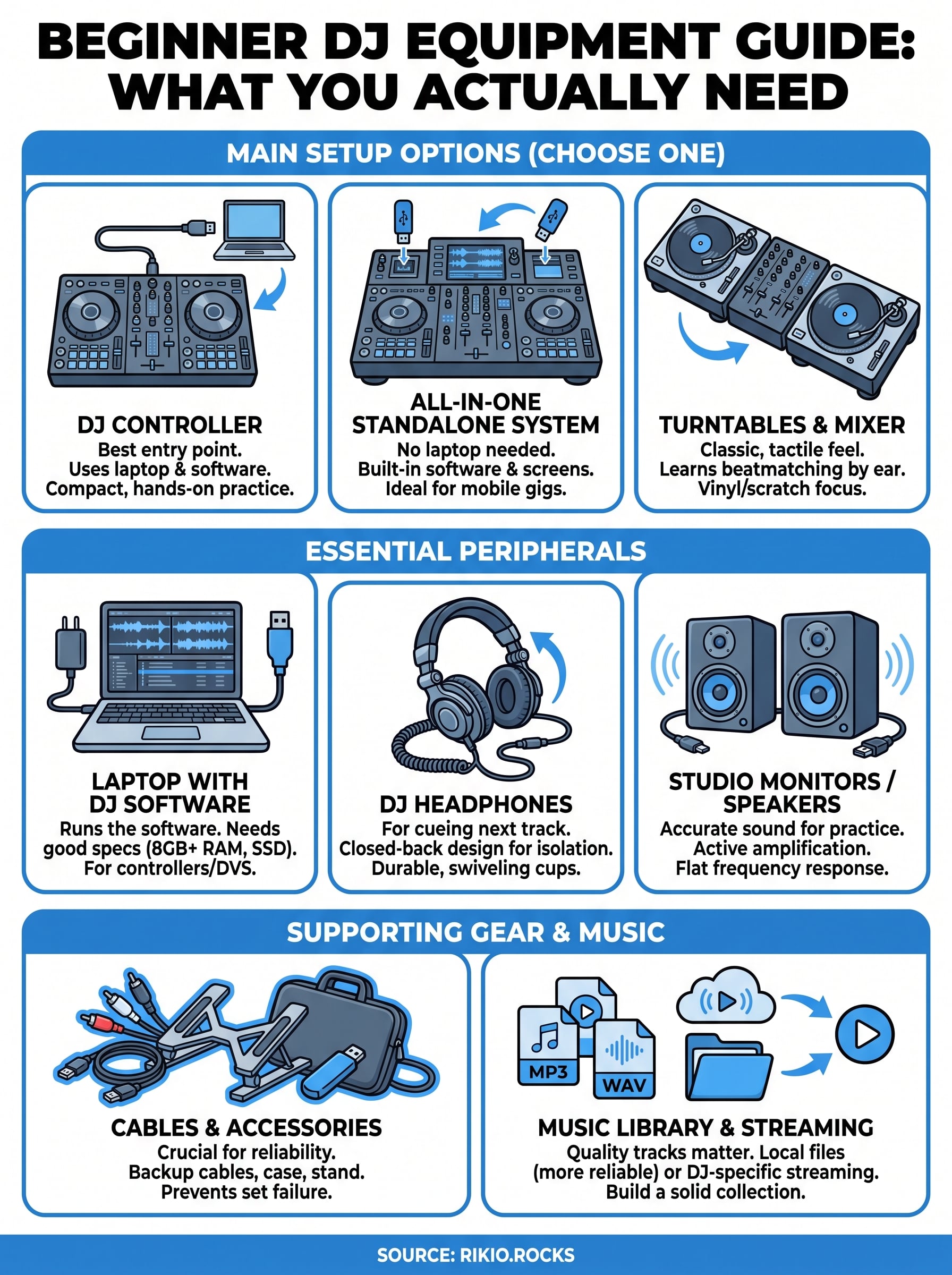
Putting your first DJ setup together
You don't need all eight items on day one. Start with a controller, a laptop that meets the specs above, and a solid pair of headphones, then add monitors, accessories, and a real music library as your skills catch up with your budget. That order keeps your spending tied to actual progress instead of gear you'll barely touch in your first month of practice.
Good dj beginner equipment rewards patience more than money. A $300 setup used every day beats a $1,500 rig gathering dust in a closet, so buy for the sets you're actually running this week, not the club gig you're hoping for next year.
Once your gear is ready, you still need tracks with the right energy and pacing to practice transitions on. Queue up our CARDIO HITS 2026 playlist and start blending.
14