Ticketmaster Presale Codes: Where To Find And Use
Them
You've been tracking your favorite DJ's tour announcement for weeks. The moment tickets go live, you jump on Ticketmaster, and they're already gone. Sold out in minutes. If that sounds familiar, you probably missed the presale window. Ticketmaster presale codes give you a head start on the general public, and knowing how to get them can mean the difference between front row at a festival and refreshing a sold-out page.
At RIKIO ROCKS, we cover every corner of the EDM scene, from festival lineups and artist announcements to the practical stuff that gets you through the door. Presale codes fall squarely into that "practical stuff" category. Whether you're chasing tickets for a massive EDM festival or a more intimate club show, understanding how presales work gives you a real competitive edge over thousands of other fans hitting the same buy button.
This guide breaks down exactly what presale codes are, where to find them, how to use them on Ticketmaster, and which types of presales you should prioritize. We'll also share specific strategies that EDM fans can use to stay ahead of drops, so you can stop missing out and start securing the tickets you actually want.
What Ticketmaster presale codes are and aren't
A presale code is a string of letters, numbers, or a combination of both that unlocks ticket access for a specific event before it opens to the general public. When you enter a valid code on Ticketmaster, the platform grants you entry into a purchase window that most other fans can't reach yet. That window typically opens 24 to 72 hours before general on-sale, giving you a meaningful head start on a limited pool of tickets.
What a presale code actually does
Entering a Ticketmaster presale code on an event page switches the sale status from "not yet available" to "buy now" for your session specifically. The code doesn't move you to the front of a virtual queue or hold any seats in your name. It opens a locked door that the rest of the public walks through later, usually at a set date and time announced by the artist, venue, or promoter.
A presale code gives you earlier access, not guaranteed access. Tickets can still sell out during a presale if enough people have the same code.
Each presale runs within its own active time window, typically a few hours to a couple of days. Once that window closes, the code stops working, even if it was completely valid before. You need to use the code during the correct time frame, or it does nothing at all for your purchase.
What presale codes don't do
Many fans assume a presale code means better seats or a lower price. That's not accurate. The code unlocks the same inventory and pricing that everyone else sees during general on-sale, just earlier. Seat availability still depends on what's left when you log in, and high-demand sections can disappear within the first few minutes of a presale opening, especially for major EDM festivals or headline DJ tours.
Presale codes also don't skip Ticketmaster's standard checkout process. You still go through seat selection, delivery method, service fees, and payment like any other buyer. Think of a code as an access key, not a shortcut through the purchase flow itself.
Presale codes vs. discount codes
These two code types serve completely different purposes, and mixing them up causes real frustration at checkout. Here's a clear comparison:
|
Code Type
|
What It Does
|
Affects Price?
|
Affects Timing?
|
|
Presale code
|
Unlocks early ticket access
|
No
|
Yes
|
|
Discount/promo code
|
Reduces ticket price
|
Yes
|
No
|
|
Bundled promo code
|
Both functions in one
|
Sometimes
|
Sometimes
|
Some promotions bundle both functions into a single code, but that's the exception rather than the standard. In most cases, a presale code won't save you money at checkout. Your advantage is time, not cost. If you expect a price reduction and don't see one, you likely have a presale-only code, which is still genuinely valuable because it gets you into the sale before the crowd arrives and starts competing for the same seats.
Where Ticketmaster presale codes come from
Ticketmaster presale codes don't appear out of nowhere. Each one comes from a specific source with its own distribution method and access requirements. Understanding who controls each type of presale tells you exactly where to look and what you need to qualify before the sale opens.
Artist and fan club presales
Artists and their management teams run some of the earliest presales available for any event. These presales reward direct fans who follow an artist's official channels or pay for a fan club membership. If your favorite DJ or producer has an official website, a newsletter, or a paid membership program, those are the first places to check for an early code.
Fan club presales often open a full 48 to 72 hours before general on-sale, making them the single most valuable source of early access.
Some artists distribute codes through verified fan programs on Ticketmaster itself, where you register your interest in an event and receive a unique code by email if selected. Registration is free, but spots are not guaranteed.
Venue and sponsor presales
Venues run their own presales independent of the artist. When a show is announced, the venue's email list or app often receives a code before almost anyone else. Signing up for venue newsletters costs nothing and covers every event that venue hosts, making it one of the most efficient ways to collect codes across multiple shows.
Sponsors and promotional partners also distribute codes tied to their own presale windows. Radio stations, energy drink brands, and festival sponsors frequently offer codes through contests, social media posts, or email sign-ups. These presales are less predictable but worth tracking if you follow the sponsors connected to EDM events in your area.
Credit card presales
Major credit card companies secure presale inventory directly from promoters. Citi, American Express, and Capital One all run regular presales on Ticketmaster, and the access code is tied to your card membership rather than a separate sign-up. You find your specific code by logging into your card's rewards portal or checking the cardholder benefits section of your account. If you already carry one of these cards, you have a presale source sitting in your wallet that many fans overlook entirely.
Step 1. Get set up before presales open
The biggest mistake fans make is treating presale day like the moment to handle setup. By the time a presale window opens, every minute you spend creating an account or entering payment details is a minute other buyers spend selecting seats. Getting your account, payment method, and notifications ready in advance protects you from losing tickets to a checkout delay rather than an actual sell-out.
Create and verify your Ticketmaster account
If you don't already have a Ticketmaster account, create one at ticketmaster.com well before any sale opens. Use the same email address you plan to use for fan club memberships, venue newsletters, and credit card reward portals, so all your presale codes land in one inbox. After creating your account, verify your email address immediately. Ticketmaster occasionally restricts checkout for unverified accounts, which is a problem you can prevent entirely in about 30 seconds.
Verified accounts also load checkout faster because your profile information is already confirmed in the system.
Fill in your profile information completely, including your phone number. Some verified fan presales send a unique code by text rather than email, and a missing phone number means you miss that code before you ever get a chance to use it.
Save your payment method and delivery preferences
Log into your account and add your preferred payment card under the payment settings before presale day. Entering card details during a live sale slows you down and increases the chance of a session timeout. If you plan to use a credit card presale through Citi, American Express, or Capital One, add that specific card to your account now so you can select it instantly at checkout without retyping anything.
Set your delivery preference to mobile ticket or email delivery if those options are available. Physical mail delivery adds unnecessary delays and sometimes costs extra. Locking in your delivery method in advance removes one more decision from a checkout flow that already moves fast.
Use this checklist to confirm you're ready before any Ticketmaster presale codes window opens:
- Account created and email verified
- Phone number added to your profile
- Preferred payment card saved to your account
- Delivery method set to digital
- Browser cookies cleared and Ticketmaster app updated to the latest version
Step 2. Find presale info for your event
Before you can use a code, you need to know when a presale is happening and which presale types are attached to your event. Ticketmaster lists this information directly on each event page, but you need to know where to look and when to check, because presale details often appear only hours before the window opens, not days in advance. Building a reliable habit around checking the right sources puts you ahead of fans who only look when they think about it.
Check the Ticketmaster event page first
Go to the event page for your show on ticketmaster.com and scroll down past the ticket selection area. Ticketmaster displays an "Offer Details" section on most event pages that lists every presale type scheduled for that event, along with the exact start and end times for each window. If you see multiple presale entries, note each one separately, because each runs on its own independent schedule and may require a completely different code.
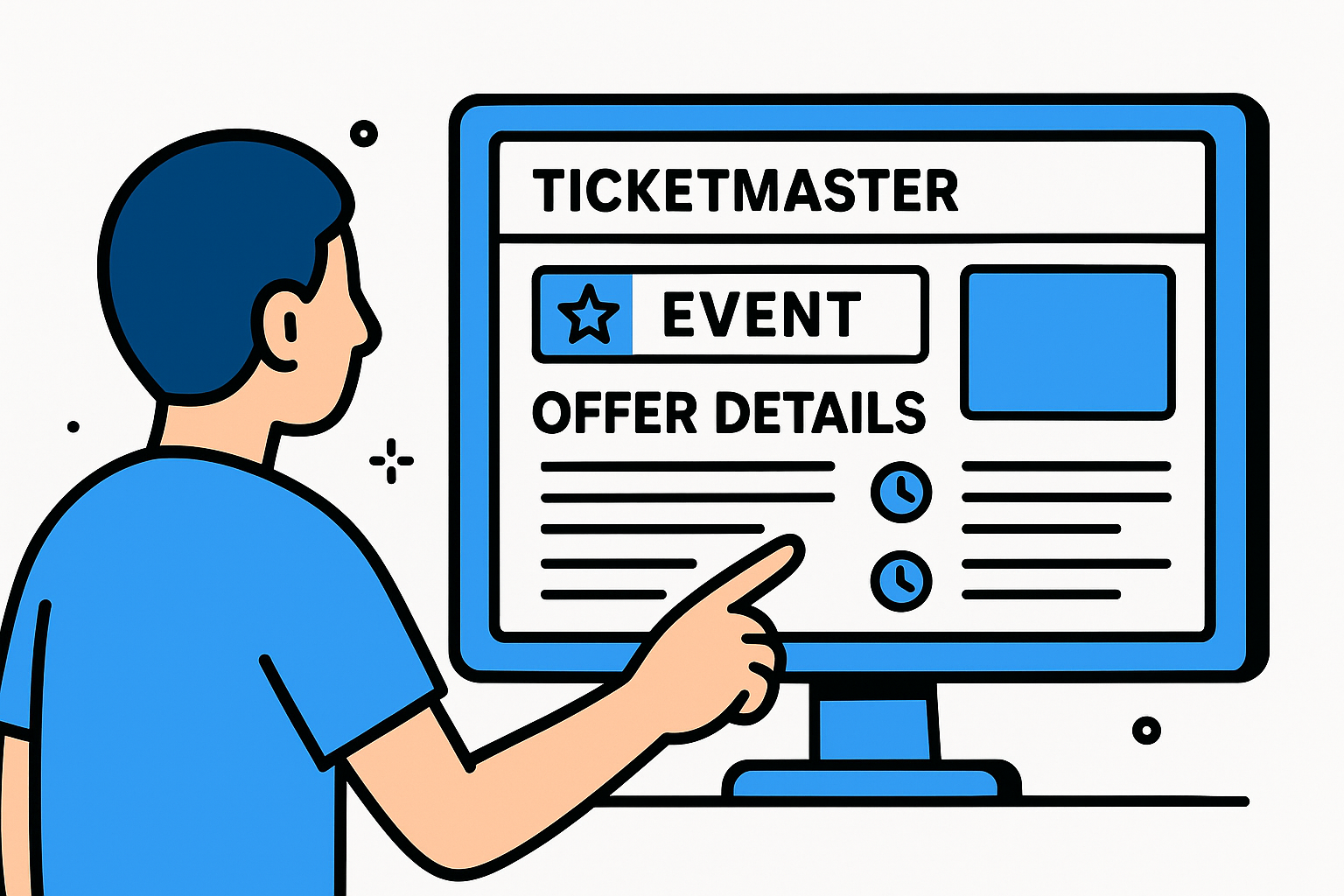
Check the event page the night before any announced presale, because Ticketmaster sometimes adds or adjusts presale windows as late as the morning of the sale.
Some event pages won't show offer details until very close to the presale start. If the page shows only a general on-sale date with no presale listed, that does not confirm there is no presale. It may mean presale details haven't been published yet, so revisit the page every day once the event is announced to avoid missing a window that appears with little warning.
Track announcements across artist and venue channels
Artists and venues rarely rely on Ticketmaster alone to communicate presale timing and codes. Most distribute that information through their own channels first, which means you need to monitor several sources simultaneously once a tour or event is announced. Use the checklist below to cover every source consistently:
-
Artist email newsletter: Subscribe immediately after a tour is announced; codes often arrive 24 hours before the presale opens
-
Artist social media: Check official accounts for pinned posts that include code details and exact start times
-
Venue website and newsletter: Many venues post ticketmaster presale codes exclusively to their own subscriber list
-
Credit card portal: Log into your Citi, Amex, or Capital One account and search the event by name to find cardholder-specific access
-
Radio station and sponsor promotions: EDM-focused stations and festival sponsors frequently post codes tied to their own presale windows
Checking all five sources before the window opens means you arrive with the correct code ready rather than scrambling to find one while the clock runs and seats disappear.
Step 3. Get the right code for your presale type
Not every presale code works for every presale window on the same event. An artist fan club code won't unlock a credit card presale, and a venue subscriber code won't work during a verified fan window. Each presale type runs on its own schedule and accepts only the specific code tied to it, so entering the wrong code wastes your time and your shot at early ticket access.
Match the code to the correct presale window
Ticketmaster's offer details section lists each presale by name, and those names tell you exactly which code category you need. Before any window opens, cross-reference what you see on the event page against the code sources you already have access to, so you walk in prepared rather than guessing at checkout.
If you have access to multiple valid codes for the same event, use the one tied to the presale that opens earliest.
The table below maps common presale names to the source and location of the code:
|
Presale Name on Ticketmaster
|
Code Source
|
Where to Find It
|
|
Citi Presale
|
Citi credit card membership
|
Citi Entertainment portal or cardmember email
|
|
Amex Presale
|
American Express card
|
Amex Experiences portal
|
|
Artist Presale
|
Artist fan club or newsletter
|
Artist email or official website
|
|
Venue Presale
|
Venue subscriber list
|
Venue newsletter or venue app
|
|
Verified Fan Presale
|
Ticketmaster registration
|
Email from Ticketmaster after registration
|
|
Sponsor Presale
|
Promotional partner
|
Sponsor website, contest page, or social post
|
Where to find each code type before the window opens
Some presale codes arrive automatically when you're already subscribed to the right channels. Citi and Amex codes require you to log into your cardholder portal and search for the event by name, so do that the day before the presale rather than right at the start time.
Artist and venue codes typically land in your inbox within 24 hours of the presale start, so check both your inbox and spam folder the morning before the window opens. For verified fan access, Ticketmaster sends a unique alphanumeric code to the email address on your account, and that code is locked to your account only. Sponsor codes are usually a short public phrase, such as "BASS2025," published on the sponsor's email list or social post. Copy any ticketmaster presale codes exactly as shown, including capitalization, since the entry field is case-sensitive and an extra space or wrong letter will cause the code to fail.
Step 4. Use a presale code on Ticketmaster
Once you have the correct code ready and the presale window is open, the steps to enter it on Ticketmaster are straightforward, but the order of each action matters. Moving through checkout in sequence keeps you from hitting a dead end mid-purchase when session timers are already counting down and available inventory is actively shrinking with every passing minute.
Navigate to the event page and enter your code
Open the event page on ticketmaster.com at least two minutes before the presale window opens. Refreshing the page right at the start time loads the ticket selection area faster than clicking through from a search result. Once the presale is live, look for a prompt that says "Have a code?" which appears above or near the ticket type dropdown. Click it, type your ticketmaster presale codes entry exactly as provided, including any uppercase letters, then hit apply.
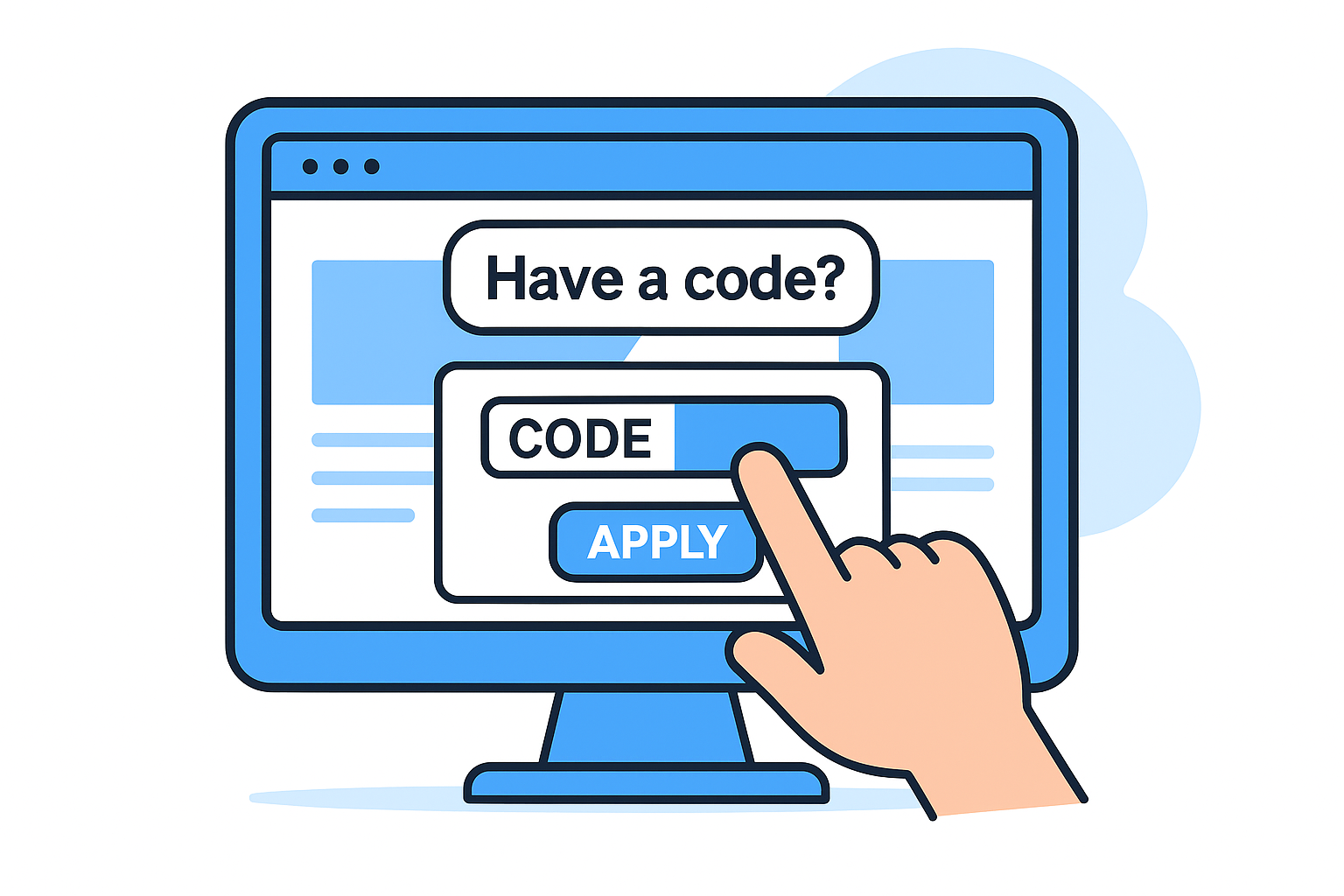
Never paste a code with extra spaces on either end, because Ticketmaster reads the whitespace as part of the entry and returns an invalid code error even when the code itself is correct.
Follow these steps in order once the presale window opens:
- Open the event page and refresh at the presale start time
- Click "Have a code?" or the code entry field if it appears automatically
- Type or paste your code, then confirm there are no extra spaces before or after
- Click "Apply" and wait for the page to reload with available tickets
- Select your seats and quantity, then click "Add to Cart" immediately
Complete checkout before your session expires
After adding tickets to your cart, Ticketmaster starts a countdown timer, typically eight to ten minutes, before releasing your held seats back into the available pool. Do not leave the checkout page to check anything else during that window. Your saved payment card from Step 1 lets you move through the billing screen in seconds rather than typing details under pressure while the clock runs.
Confirm the event name, date, seat location, and total price on the order summary before submitting. Once you click "Place Order," Ticketmaster sends a confirmation to your registered email address. That email is your proof of purchase, so check your inbox immediately after the transaction goes through and save it somewhere you can access it quickly on event day.
Step 5. Fix common code and checkout issues
Even with a valid code and a prepared account, things go wrong during a live presale. Error messages, frozen pages, and session timeouts are common enough that knowing how to respond quickly can save your purchase before the window closes or the tickets disappear. Most issues have a fast fix if you know what caused them.
When your code returns an error
A code rejection on Ticketmaster almost always comes down to one of four problems: wrong presale window, incorrect formatting, expired timing, or a mismatch between your account and the code type. Before assuming the code is invalid, run through each of these possibilities in the order listed below, because the fix for each one takes less than a minute.
Verified fan codes are locked to a specific Ticketmaster account, so logging in with a different email than the one you registered with will cause a rejection every time.
Work through this checklist before giving up on any code:
-
Confirm the presale window is currently open by checking the offer details section on the event page
- Re-type the code manually instead of pasting it, to eliminate any hidden characters or extra spaces
-
Check capitalization: Ticketmaster's code field is case-sensitive, so "bass2025" and "BASS2025" are treated as two different entries
- Verify you're logged into the correct account, especially for verified fan or fan club presales
- Try a different browser or clear your current browser's cache and cookies before re-entering
When checkout freezes or times out
If your page freezes mid-checkout, do not close the tab. Wait 15 to 20 seconds and then refresh the page. In many cases, your cart and session remain active after a reload. If the cart is gone, go directly back to the event page and check whether tickets are still available before starting the selection process again.
Session timeouts happen most often when you stop on the payment screen to find your card details or billing address. If this has happened to you before, go back to Step 1 and save your payment information to your account now, while no countdown is running. The Ticketmaster app sometimes processes checkout faster than a desktop browser during high-traffic presales, so switching devices mid-session is also worth trying if your browser stalls with time still on the clock.
How to avoid fake presale codes and scams
The demand for ticketmaster presale codes creates a reliable market for scammers who sell or distribute codes that don't work, codes that were already used, or codes that were never valid in the first place. High-profile EDM events are a frequent target because fans are highly motivated and the pressure to act fast makes it easy to skip the basic checks that would expose a scam. Knowing what fraud looks like before you encounter it protects both your money and your time.
Recognize the signs of a fake code
Any code that arrives through an unofficial channel deserves immediate skepticism. Legitimate presale codes always come from a source with a direct relationship to the event: the artist's verified email list, the venue's official newsletter, your credit card's cardholder portal, or Ticketmaster itself. If someone is selling you a code in a Reddit thread, Discord server, Facebook group, or private message, treat it as a red flag regardless of how many positive comments that person has received.
Ticketmaster never sells presale codes directly to individuals through social media, and no third-party seller has legitimate access to codes that aren't already publicly distributed.
Watch for these specific warning signs before you trust any code source:
- The code is being sold for money, even a small amount
- The seller claims the code is exclusive but can't name the official source it came from
- The code arrives unsolicited from someone you don't know
- The message includes urgency language pushing you to buy immediately
- The seller asks you to pay through Venmo, Cash App, or wire transfer rather than a traceable method
How to verify a code before you use it
If you're unsure whether a code is legitimate, the fastest verification method is to check it directly against the Ticketmaster event page during the correct presale window. A real code will either unlock ticket access or return a specific error message tied to timing, not validity. A fake code typically returns a generic "invalid code" error regardless of when you enter it.
Cross-check every code you receive against the offer details listed on the official event page. If the presale type listed there doesn't match the source claiming to provide your code, stop and find the correct source through the artist's official website or your cardholder portal before entering any payment information.
Quick recap and next steps
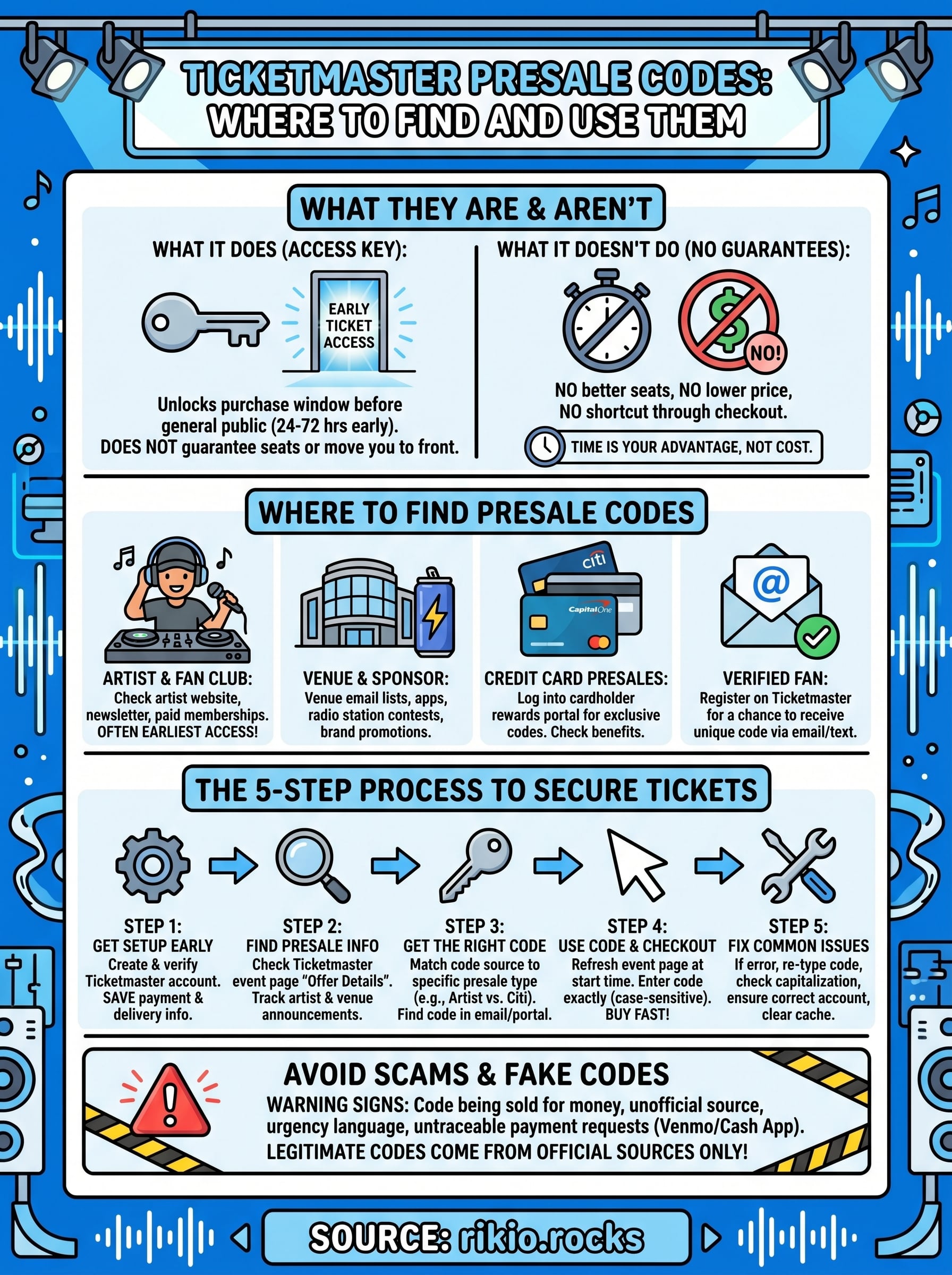
Getting ticketmaster presale codes comes down to building the right habits before any sale opens. You need a verified account with saved payment details, active subscriptions to artist newsletters and venue lists, and a clear understanding of which code matches which presale window. Following the five steps in this guide puts you in position to move fast when the timer..
232